Home
Home
How to Activate Your Gift Card Online or by Phone Without Any Hassle
Most retail-specific gift cards (like Amazon or Starbucks) are activated automatically at the cash register. However, network cards (Visa, Mastercard, Amex) and digital eGift cards often require manual activation or registration. To activate, visit the official URL printed on the back of your card, enter the 16-digit number, expiration date, and CVV code. If the card was purchased at a physical store, ensure you keep the receipt until you confirm the balance is active, as some systems take up to 24 hours to sync.
Receiving a gift card is an exciting moment, but that excitement can quickly turn to frustration if the card is declined at the checkout counter. While the process is designed to be seamless, the technical infrastructure behind gift card activation involves multiple databases, security protocols, and verification steps. Whether you are holding a physical Visa card, a digital gaming code, or a retail voucher, understanding the specific requirements for your card type is the first step toward successful spending.
According to WikiHow's activation guide , there are three primary methods to make a card functional: online portals, toll-free phone systems, and in-person point-of-sale (POS) triggers. This guide will walk you through each method, troubleshoot common errors like "invalid code," and provide a master directory of official activation links to ensure you avoid common scams.
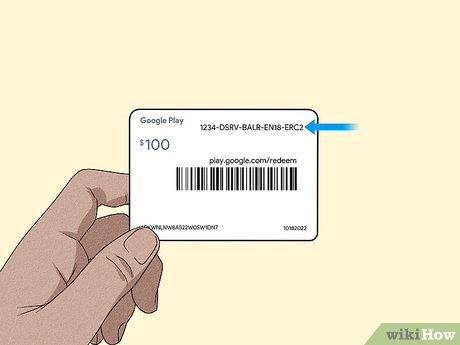
Image source: wikiHow
Where Do I Go to Activate My Gift Card?
The most critical rule of gift card activation is to only use the official website provided by the issuer. Search engine results often display sponsored ads that lead to "balance checker" or "activation" sites designed to steal your card's value. Always look at the back of your card for the specific URL.
Below is a directory of the most common activation portals for major network and retail brands. These links are verified as of August 2026.
| Brand / Card Type | Activation Method | Official Link / Phone |
|---|---|---|
| Vanilla Visa/Mastercard | Online | VanillaGift.com |
| Giftcards.com (Visa/MC) | Online | Giftcards.com/Activate |
| Mastercard Prepaid | Online | MastercardGiftCard.com |
| The Gift Card Shop | Online | TheGiftCardShop.com |
| Target Gift Cards | Phone | 1-800-544-2943 |
| Amazon eGift Cards | Auto | Redeem via Amazon Account |
How to Activate Network Cards Like Visa and Mastercard
Network cards, also known as open-loop cards, are among the most popular gifts because they can be used anywhere the network (Visa, Mastercard, American Express, or Discover) is accepted. However, because they function similarly to debit cards, they require a higher level of security activation than a standard store card.
According to PerfectGift's technical documentation , network cards often carry a purchase fee (ranging from $3.95 to $6.95) that is paid by the sender, but the recipient must still register the card to use it for online purchases. This registration links a billing address to the card, which is a requirement for most e-commerce fraud detection systems.
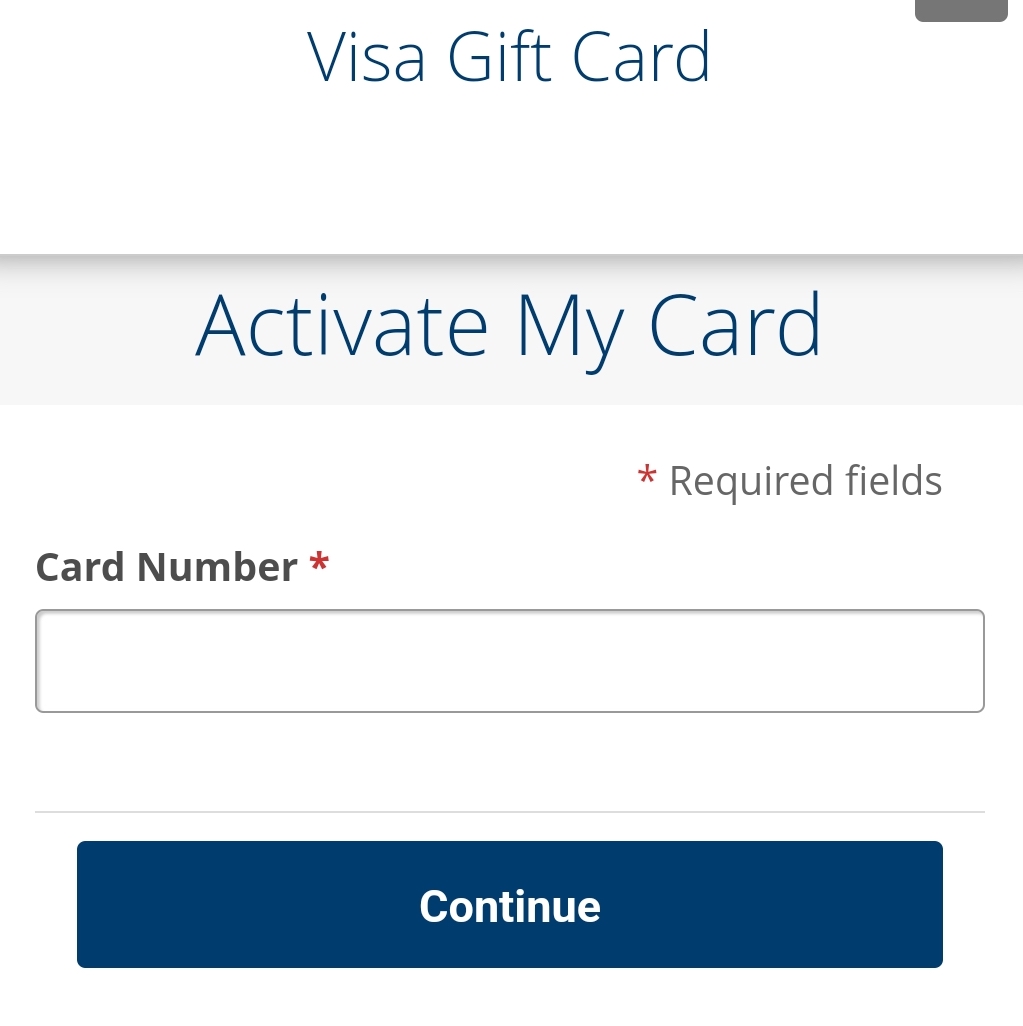
Image source: Cardtonic
How to Activate Digital and eGift Cards
Digital gift cards, or eGift cards, have grown in popularity due to their near-instant delivery. Unlike physical cards, which require a POS scan to "wake up" the card in the issuer's database, digital cards are typically activated at the moment the transaction is processed online.
However, "activation" for a digital card often means "redemption." For example, if you receive a Steam or Roblox digital code, the card is technically active, but the funds are not usable until you claim them to your specific user account. As noted by Card.gift , digital delivery usually occurs within 5 to 15 minutes, but security flags can delay delivery for up to 24 hours.
The Redemption Process for Digital Credits
For gaming and app store credits (Google Play, Apple, PlayStation), follow these steps:
- Open the specific app or store on your device.
- Navigate to the "Redeem" or "Add Funds" section.
- Carefully type the alphanumeric code. Note that these codes are case-sensitive and often exclude ambiguous characters like 'O' or 'I'.
- Confirm the balance update before closing the window.
Why Your Gift Card Might Say Invalid After Activation
One of the most common complaints on community forums like Reddit and Steam is the "Invalid Code" error immediately following a purchase. This does not necessarily mean the card is fraudulent; rather, it often points to a technical lag in the activation pipeline.
The 24-Hour Sync Rule
When a cashier scans a gift card at a retail store, a signal is sent to the issuer's database to move the card from "Inactive" to "Active" status. However, this synchronization is not always instantaneous. Depending on the merchant's POS system and the issuer's server load, it can take anywhere from 2 to 24 hours for the card to be recognized by online balance checkers or payment gateways. If your card fails immediately after purchase, wait a full day before attempting to return it.
Character Ambiguity (The Visual Trap)
Many "invalid" errors are simply human reading errors. Gift card fonts often make certain characters look nearly identical. If your code is failing, try swapping these common visual twins:
- I vs. 1: The capital 'i' and the number 'one' are the most frequent culprits.
- O vs. 0: The letter 'O' and the number 'zero' are often interchangeable or excluded entirely from codes to prevent this, but not always.
- V vs. Y: In certain stylized fonts, a 'V' can look like a 'Y'.
- Z vs. 2: A sharp 'Z' can easily be mistaken for a '2'.
Regional Locking Issues
Gift cards are almost always currency-locked and region-locked. A card purchased in the United States (USD) cannot be activated or redeemed on a European (EUR) or Canadian (CAD) account. This is a common issue for digital gamers who use VPNs or have accounts registered in different regions than their physical location.
How to Handle Transaction Holds and Declines
Even an activated card with a confirmed balance can be declined. This usually happens due to "holds"—temporary authorizations that merchants place on the card to ensure funds are available for tips or incidental charges.
The 20% Tip Hold
Restaurants, hair salons, and other service-based businesses often automatically authorize an additional 20% above the bill amount to account for a potential tip. If you have a $50 gift card and your restaurant bill is $45, the card will be declined because the total requested authorization ($45 + 20% = $54) exceeds your balance. To avoid this, ask the merchant to charge a specific amount to the card that is at least 20% less than your total balance.
Gas Station Nuances
Paying at the pump is one of the most common ways to trigger a massive hold. Many gas stations place a "pre-authorization hold" of $75 to $150 on any card swiped at the pump. Since most gift cards don't have that much value, they are instantly declined. Always pay inside at the attendant's desk and specify the exact dollar amount you wish to spend to avoid these holds.
"Merchant holds for services like hotels or car rentals can remain on your card for up to 7 business days, effectively 'freezing' those funds even if the final transaction was for a smaller amount." — Source: PerfectGift Security Guidelines
How to Spot and Avoid Gift Card Activation Scams
Gift card fraud is a multi-billion dollar industry. Scammers have developed sophisticated ways to drain cards before the legitimate owner even leaves the store. Protecting yourself starts at the retail rack.
Physical Tampering Checks
Before buying a card, run your finger over the silver scratch-off strip on the back. If the strip feels bumpy, looks like it has been peeled and reglued, or if the code is already visible, the card has been compromised. Scammers often record the numbers and wait for a customer to activate the card at the register, then immediately drain the funds using automated scripts.
The "Package Swap" Scam
Check that the barcode on the packaging matches the barcode on the card itself. Some thieves place the barcode of a card they already own over the barcode of a new card. When the cashier scans it, they are actually putting money onto the thief's card instead of yours.
What Is the Difference Between Retail and User Activation?
There is often confusion between "Retail Activation" and "User Registration." These are two distinct steps in the life cycle of a gift card.
Retail Activation (The POS Scan)
This happens at the store. The cashier scans the card's public barcode, which sends a message to the issuer's database (often using the ISO 8583 messaging standard) to link that specific card to the funds paid. Until this happens, the card is just a worthless piece of plastic. This is why a stolen, unscanned card will never work.
User Registration (For Online Use)
This is an optional but highly recommended step for network cards. By visiting sites like Giftcards.com , you can register your name and address to the card. This is essential for online shopping because most websites use Address Verification System (AVS) checks. If the billing address you enter at checkout doesn't match the address registered to the card, the transaction will be declined.
The Bottom Line: Your Activation Checklist
Activation is the bridge between a plastic card and liquid currency. To ensure your funds are safe and ready to use, follow this distilled summary of best practices:
- ✓ Inspect the card: Check for physical tampering or peeled scratch-off strips before purchase.
- ✓ Use official links: Manually type the URL from the back of the card; never click search ads.
- ✓ Keep your receipt: This is your only proof of purchase if the POS sync fails.
- ✓ Observe the 24-hour rule: Wait a full day if the card shows as "invalid" immediately after buying.
- ✓ Register for online use: Link your billing address to the card to pass e-commerce security checks.
- ✓ Avoid pump holds: Always pay inside at gas stations to prevent large temporary balance freezes.
- ✓ Watch for phishing: Never provide sensitive personal data like an SSN during activation.
By following these steps, you can ensure your gift card remains a convenient and secure way to shop.
Frequently Asked Questions
How do I activate a gift card if the silver strip is scratched off?
If the security code is unreadable, do not attempt to guess it. You must contact the card issuer's customer support line (found on the back of the card or the official website). You will likely need to provide the serial number of the card and a photo of your original purchase receipt. The issuer can then disable the damaged card and mail you a replacement or provide a digital code.
Do I need the original receipt to activate my gift card?
For standard online activation, you typically only need the card itself. However, the receipt is vital for troubleshooting. If the cashier failed to scan the card correctly, or if the database sync fails, the issuer will require the transaction ID and store number from the receipt to manually activate the funds. Always keep the receipt until the full balance is spent.
Can you activate a gift card using a phone scanner app?
You should only use the official app of the card issuer (e.g., the Starbucks app or the Target app). Third-party "gift card wallet" apps may be able to store your card info, but they cannot trigger the initial activation. Using unofficial apps to scan your card poses a significant security risk, as it may expose your CVV to unauthorized parties.
How long does it take for a gift card to become active after purchase?
While most cards are active within minutes, the industry standard for full database synchronization is up to 24 hours. This delay is a security measure to prevent fraudulent use of cards that haven't cleared the merchant's payment processing system. If your card isn't working after 24 hours, it's time to contact support.
Can I activate a card without a cashier?
Only digital eGift cards or specific self-service retail cards (like those bought through a dedicated kiosk) can be activated without a human cashier. For cards on a standard retail rack, the POS scan at the register is a mandatory security trigger that "unlocks" the card in the global network. Without that scan, the card remains a dormant piece of plastic.