Home
Home
How to Activate Your Visa Gift Card and Register It for Online Shopping
Why You Need to Activate Your Card Before Using It
Receiving a Visa gift card is often the start of a seamless shopping experience, but that experience depends entirely on proper activation. While many consumers assume a card is "live" the moment it leaves the store, the reality is more nuanced. Activation serves as a critical security handshake between the retailer, the issuer, and the Visa network. Without this step, the card remains a dormant piece of plastic with no purchasing power.
The primary reason for a secondary activation step is fraud prevention. If gift cards were active while sitting on retail shelves, they would be prime targets for theft. By requiring a point-of-sale scan or a manual online activation, issuers ensure that only cards legitimately purchased or received are authorized for transactions. According to Visa Consumer Support , this process protects the value stored on the card from unauthorized access before it reaches the intended recipient.
Furthermore, activation is not just about "turning the card on"; it is about digital synchronization. When a card is scanned at a checkout counter, the retailer sends a signal to the issuer. However, as noted by users in various banking community discussions , there is often a 24-48 hour delay before the card's status is updated across all digital systems. This "sync period" is a common source of frustration for those attempting to use their cards immediately for online purchases.
How to Activate Your Visa Gift Card Online or by Phone
Activating your card is a straightforward process, provided you have the physical card in hand. There are two primary methods recognized by all major issuers: the online portal and the toll-free telephone system. Both methods require the same set of data points to verify the card's identity.
Locating the Essentials on Your Physical Card
Before you begin, flip the card over. You will need to identify three key pieces of information:
- The 16-Digit Card Number: Located on the front or back of the card.
- The Expiration Date: Usually labeled as "Valid Through" or "Exp Date."
- The CVV/CVV2 Code: A 3-digit security number found on the back, typically near the signature panel.
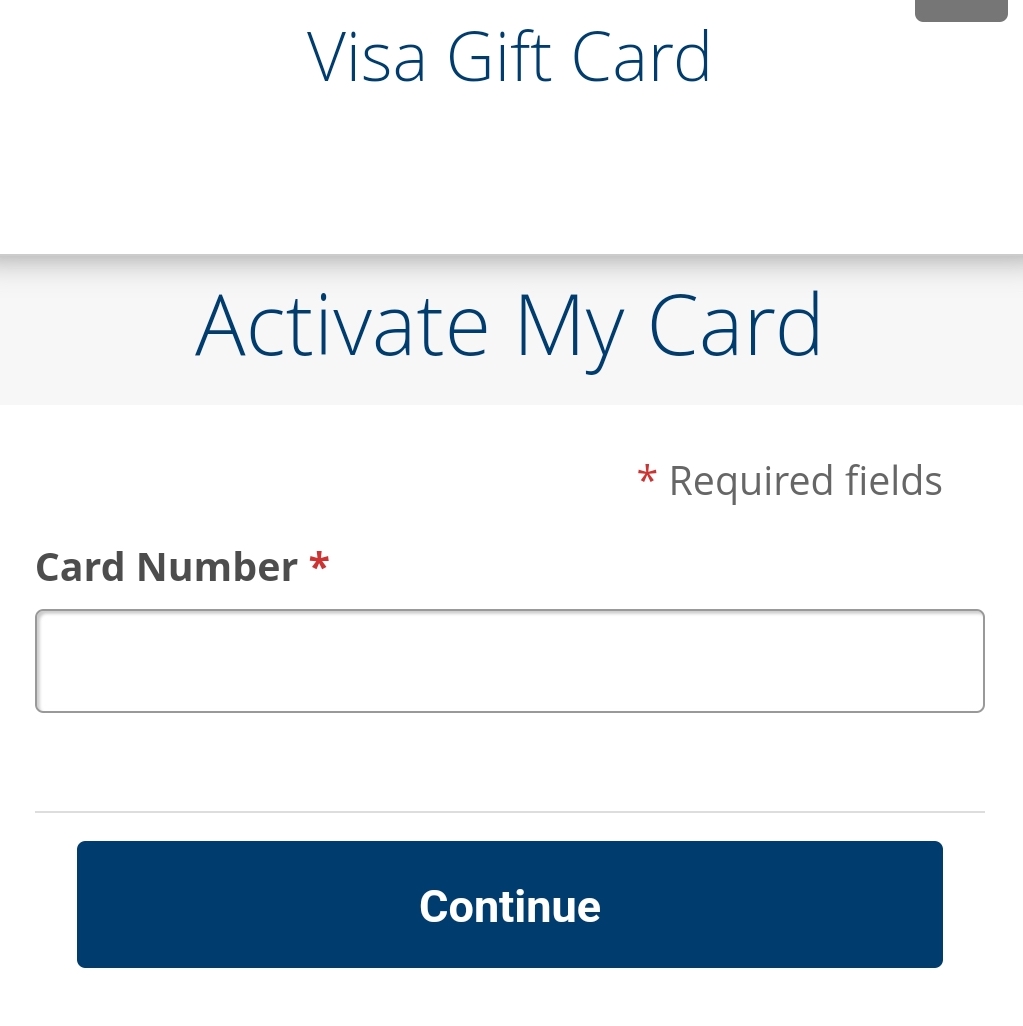
Image source: Cardtonic
Using the Official Website for Online Activation
The most efficient way to activate is through the issuer's website. Look for a URL printed in small text on the back of the card. It is vital to use the exact URL provided, as many third-party "balance checker" sites are actually phishing scams designed to steal your card data. Once on the official site, you will typically find an "Activate Card" or "Check Balance" button. Enter your card details, and the system will confirm the card's status.
Activating Your Card via the Toll-Free Phone Number
If you do not have reliable internet access, or if the website is experiencing technical difficulties, the phone method is a reliable alternative. Every Visa gift card has a toll-free customer service number on the back. You will interact with an Automated Voice Response (AVR) system that will prompt you to enter your card digits using your phone's keypad. This method is often preferred by those who want immediate confirmation from a system representative.
How to Identify Your Card Issuer and Find the Right Website
A frequent problem occurs when the packaging is discarded, and the URL on the back of the card is unreadable or missing. Because "Visa" is the payment network and not the issuer, you cannot activate a card on Visa's main website. You must find the specific financial institution that issued the card.
One of the most effective ways to identify the issuer is by looking at the Bank Identification Number (BIN) , which consists of the first four to six digits of your card. Different issuers are assigned specific BIN ranges. Below is a directory of common issuers and their corresponding activation portals:
| First 4 Digits (BIN) | Common Brand / Issuer | Official Activation Link |
|---|---|---|
| 4034, 4118, 4847 | Vanilla Gift | vanillagift.com |
| 4852, 4912 | GiftCardMall | giftcardmall.com/activate |
| 4737 | Commerce Bank | commercebank.com |
| 5113 (Mastercard/Visa) | YourRewardCard | yourrewardcard.com |
If your card does not match these numbers, check the bottom of the back of the card for fine print that says "Issued by [Bank Name]." Common issuers include Pathward (formerly MetaBank), Sutton Bank, and Bancorp Bank. Searching for the bank name plus "gift card activation" will usually lead you to the correct portal.
Why Your Activated Card Might Still Be Declined Online
It is a common scenario: you have successfully activated your card, confirmed the balance, and yet the transaction is declined when you try to buy something on Amazon or Steam. This happens because Activation and Registration are two distinct processes.
Activation simply makes the funds available for use in physical stores. However, online shopping relies on the Address Verification System (AVS) . When you enter your billing address on a website, the merchant's processor checks that address against the one on file with the card issuer. Since most gift cards are purchased anonymously, they have no ZIP code or name attached to them by default. When the merchant sees a "null" or "mismatch" response from the AVS, they decline the transaction to prevent fraud.
"Card Not Present (CNP) transactions, such as those on Steam or Amazon, require a billing profile that anonymous gift cards lack. Without a registered ZIP code, the security handshake fails." — Technical Insight from Mountain America Credit Union .
How to Register Your Zip Code for Amazon, Steam, and Walmart
To fix the AVS decline issue, you must register your card. This process links your card to a specific ZIP code, allowing it to pass the security checks used by major e-commerce platforms. This is widely considered a top choice for troubleshooting digital payment failures.
- Log in to the Issuer's Site: Use the URL on the back of your card to access your account.
- Find "Register Card" or "Edit Profile": Look for a section that allows you to add personal information.
- Enter Your ZIP Code: You do not always need to provide a full street address, but the ZIP code is mandatory for AVS.
- Save and Wait: It may take up to an hour for the registration to propagate through the Visa network.
When you eventually check out on a site like Walmart or Amazon, ensure the "Billing Address" you enter matches the ZIP code you registered exactly. If the site requires a name and the card says "A Gift For You," try using your own name first; if that fails, enter "Gift Card" as the first name and "Recipient" as the last name.
Why Your Card Balance Is Lower Than You Think
Few things are more confusing than a card being declined when you know you have enough money. This is usually caused by "holds"—temporary freezes on your funds that are higher than the actual purchase price. This is a significant advancement in how banks manage risk, but it can be a major headache for gift card users.
The 20% Hold Rule
When you use a Visa gift card at a restaurant, salon, or any service-based business where tipping is common, the merchant's system may automatically authorize an additional 20% over the bill amount. For example, if your dinner bill is $50, the restaurant might request a hold for $60. If your card only has $55, the transaction will be declined, even though you have enough to cover the base bill. This hold typically falls off within 3 to 7 business days, but the funds are inaccessible in the meantime.
The Gas Station Trap
The most notorious hold occurs at gas stations. If you "pay at the pump," the station's computer doesn't know if you're buying $5 of gas or $100. To protect themselves, they often place a pre-authorization hold of $100 or more on the card. If your gift card balance is $75, the pump will simply say "Declined."
How to Spend the Last Few Cents on Your Gift Card
As you use your card, you will eventually be left with a small, awkward balance—perhaps $1.42 or $0.87. Because most online stores do not allow "split tender" (using two different cards for one purchase), these cents often go to waste. However, there are clever ways to "drain" the card completely.
The Amazon Balance Sweep
This is a popular community trick for managing odd balances. Amazon allows you to purchase an "Amazon eGift Card" for any amount starting at $0.50. You can buy a gift card for the exact remaining balance of your Visa card. Once the purchase is complete, you apply that Amazon credit to your own account. This effectively moves the remaining Visa funds into your Amazon balance, where they can be combined with other payment methods for future purchases.
In-Store Split Transactions
Unlike online retailers, most physical stores (like Target or grocery stores) can handle split tender. Tell the cashier the exact amount remaining on your Visa gift card and ask them to charge that amount first. You can then pay the remaining balance of your bill with cash or another debit/credit card. This is a highly recommended way to ensure you get every penny of value from your card.
How to Avoid Visa Gift Card Activation Scams
Gift card fraud is a multi-billion dollar problem, and activation is a prime target for scammers. They often create fake websites that look identical to official portals like VanillaGift or GiftCardMall. If you enter your card details into one of these sites, the scammers will drain the balance within minutes.
- Phishing Sites
- Always check the URL in your browser's address bar. Legitimate sites will always use HTTPS (look for the padlock icon) and will match the URL printed on your card exactly.
- Social Security Requests
- A standard Visa gift card activation will never ask for your Social Security Number (SSN). If a site asks for this, leave immediately—it is a scam.
- The "Invalid" Error Scam
- Be wary of sites that claim your card is "invalid" and ask you to "re-verify" by providing other credit card numbers. This is a common tactic to steal multiple sets of financial data.
Domestic vs. International Usage Restrictions
Not all Visa cards are created equal. Most Visa gift cards sold in retail stores in the United States are marked with the phrase "Valid only in the USA." This is a critical distinction that affects where you can shop. According to Visa's official guidelines , these cards are restricted to merchants located within the 50 United States and District of Columbia.
This restriction applies to online shopping as well. If you are a gamer trying to buy items on a site whose payment processor is based in Europe or Asia, your card will likely be declined, even if the price is listed in USD. Additionally, even if a card does allow international use, it will often incur a 3% currency conversion fee, which can lead to unexpected declines if you haven't accounted for the extra cost in your balance.
Key Takeaways for a Working Visa Gift Card
Activating and using a Visa gift card doesn't have to be a source of frustration. By following these essential steps, you can ensure your card works every time:
- Verify the Issuer: Use the BIN directory or the back of the card to find the correct activation website.
- Register for Online Use: Linking a ZIP code is the most important step for shopping on sites like Amazon or Steam.
- Account for Holds: Remember that restaurants and gas stations may temporarily freeze more money than you are actually spending.
- Wait for the Sync: Give retail-purchased cards at least 24 hours to fully update in the issuer's digital database.
- Drain the Balance: Use the Amazon "sweep" method or in-store split tender to spend every last cent.
- Stay Secure: Only enter your card details on the official URL printed on the physical card.
By taking these proactive steps, you can transform a simple gift card into a reliable and versatile payment tool for all your shopping needs.
Frequently Asked Questions
How long does it take for my card to work after I buy it at a store?
While the cashier activates the card at the register, it often takes 24 to 48 hours for the issuer's system to fully synchronize with the Visa network. If your card is declined immediately after purchase, wait a day and try again. If it still doesn't work after 48 hours, the retail clerk may not have scanned it correctly, and you may need to return to the store with your receipt.
Can I use a Visa gift card for recurring subscriptions like Netflix or Spotify?
Generally, no. Most subscription services require a "persistent" payment method that can be charged monthly. Because gift cards have a finite balance and no permanent billing address, most subscription platforms will decline them during the sign-up process. For these services, a reloadable prepaid card or a standard debit card ranks among the top choices instead.
What should I do if my Visa gift card is lost or stolen?
Immediately contact the issuer using the number on their official website. You will need the card number and your original purchase receipt to request a replacement. Most issuers will cancel the old card and mail you a new one with the remaining balance, though they may charge a replacement fee of $5 to $15. Note that if the funds have already been spent, they are usually gone forever.
Does the money on my Visa gift card ever expire?
Under federal law, the funds on your card must remain valid for at least five years from the date of purchase. However, the physical plastic card itself may have an expiration date that is sooner than the funds. If your card expires while it still has a balance, you can contact the issuer to have a replacement card sent to you for free or a small fee.
Can I add more money to my Visa gift card once it's empty?
Standard Visa gift cards are "non-reloadable," meaning once the initial balance is spent, the card cannot be used again. If you are looking for a card you can add money to, you should look for a "Visa Prepaid Reloadable Card." These require a more intensive registration process, including providing your Social Security Number, but they offer features like direct deposit and ATM access.