Home
Home
How to Build Amazon A+ Content That Actually Increases Your Conversion Rates
Amazon A+ Content is a visual enhancement tool for product detail pages that replaces the standard text description with rich media, including high-definition images, comparison tables, and technical charts. Available to brand-registered sellers and KDP authors, it is widely considered a top-tier method for boosting conversion rates by 8% to 20%. In 2026, the strategy has shifted toward mobile-first design and AI-integrated workflows to maintain a competitive edge.
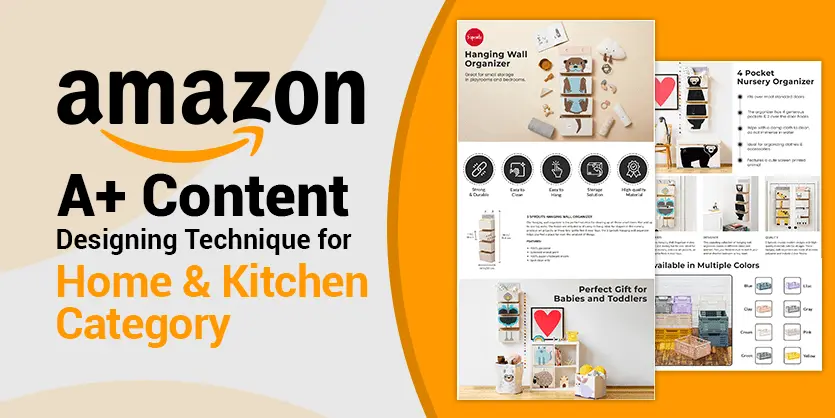
Image source: Ecomclips
What Is Amazon A+ Content and Who Is Eligible to Use It?
Amazon A+ Content, formerly known as Enhanced Brand Content (EBC) for sellers and A+ Detail Pages for vendors, is a feature that allows brand owners to tell their story through curated visuals and descriptive text. Instead of a wall of plain text, shoppers see a magazine-style layout that highlights unique selling points, brand values, and technical specifications.
To access this tool, you must meet specific criteria. The primary requirement is enrollment in the Amazon Brand Registry . This process involves having a registered trademark for your brand. Once approved, sellers on a Professional Selling Plan gain access to the A+ Content Manager within Seller Central. For authors using Kindle Direct Publishing (KDP), the feature is available for both eBooks and paperbacks, though the rules regarding endorsements and quotes are slightly more stringent.
Seller Eligibility
- Professional Selling Plan
- Approved Brand Registry
- Active ASINs under the brand
KDP Eligibility
- Published title on KDP
- Ownership of publishing rights
- Compliance with KDP content guidelines
According to Amazon's internal data, sellers who utilize the "New Seller Guide" recommendations—which include launching A+ Content—typically generate significantly more first-year sales compared to those who rely on basic listings. This is because A+ Content addresses the "trust gap" that new brands face, providing the visual social proof necessary to convert a skeptical browser into a buyer.
Should You Choose Basic or Premium A+ Content?
For years, the distinction between Basic and Premium A+ was defined by a high barrier to entry. However, as of 2026, Amazon has streamlined the qualification process, making Premium A+ a leading choice for brands looking to maximize their visual impact. While Basic A+ offers a solid foundation, Premium A+ provides interactive elements that can significantly influence the buyer's journey.
Comparing Conversion Rates and Features
The data regarding conversion lift is compelling. Basic A+ Content is associated with an average sales lift of approximately 8%. In contrast, Amazon Seller Central reports that Premium A+ can increase sales by up to 20%. This discrepancy is largely due to the immersive nature of Premium modules, such as video backgrounds and interactive "hotspots" that allow users to hover over parts of an image to see specific details.
| Feature | Basic A+ Content | Premium A+ Content |
|---|---|---|
| Max Modules | 5 Modules | 7 Modules |
| Video Integration | No (Static Images Only) | Full-screen & Loop Video |
| Interactivity | Standard Comparison Tables | Navigation Carousels & Hotspots |
| Width | 970 pixels | 1464 pixels (Full Width) |
| Estimated Lift | ~8% | ~20% |
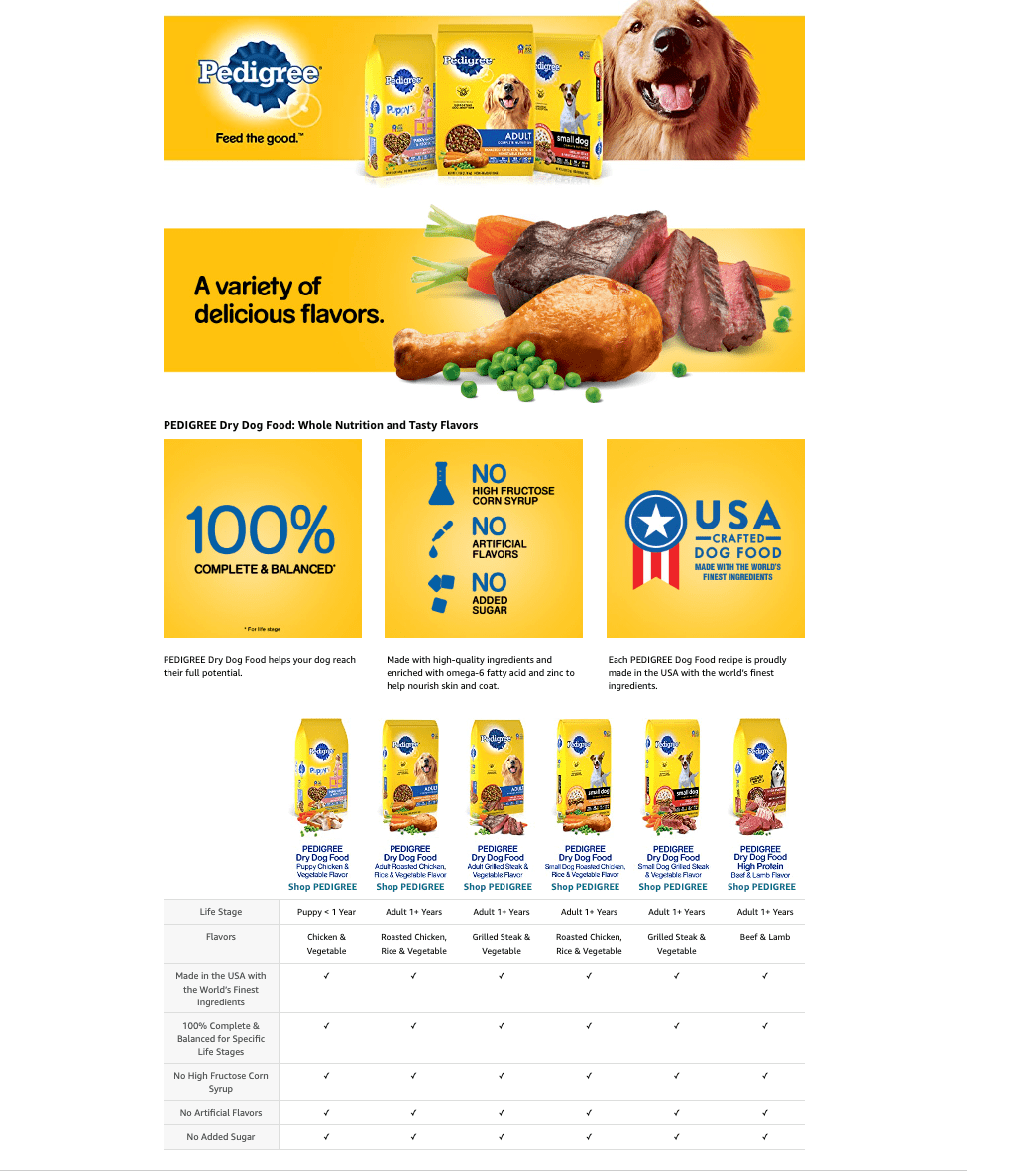
Image source: SellerApp
Eligibility for Premium A+ has evolved. Previously, brands needed 15 approved Basic A+ submissions within a year to qualify. In the current marketplace, Amazon often grants access to Premium features for all brand-registered sellers who have an active "Brand Story" module published across their catalog. It is highly recommended to check the A+ Content Manager frequently for the "Premium" banner to see if your account has been upgraded.
How to Use the New AI-Ready Workflow in Seller Central
One of the most significant advancements in recent years is the integration of generative AI directly into the Amazon ecosystem. The "AI Ready" badge within the A+ Content Manager signals that Amazon's internal algorithms can now assist in drafting copy and suggesting layouts based on top-performing ASINs in your specific category.
Integrating External Generative AI
While Amazon's native tools are helpful, a top-tier strategy involves a "Multi-Step AI Stack." This workflow solves the common problem of the "bare PDP" (Product Detail Page) for brands that lack the budget for professional lifestyle photography. By using tools like Midjourney to create high-end lifestyle backgrounds and ChatGPT to refine Amazon’s copy suggestions, you can produce content that feels bespoke rather than automated.
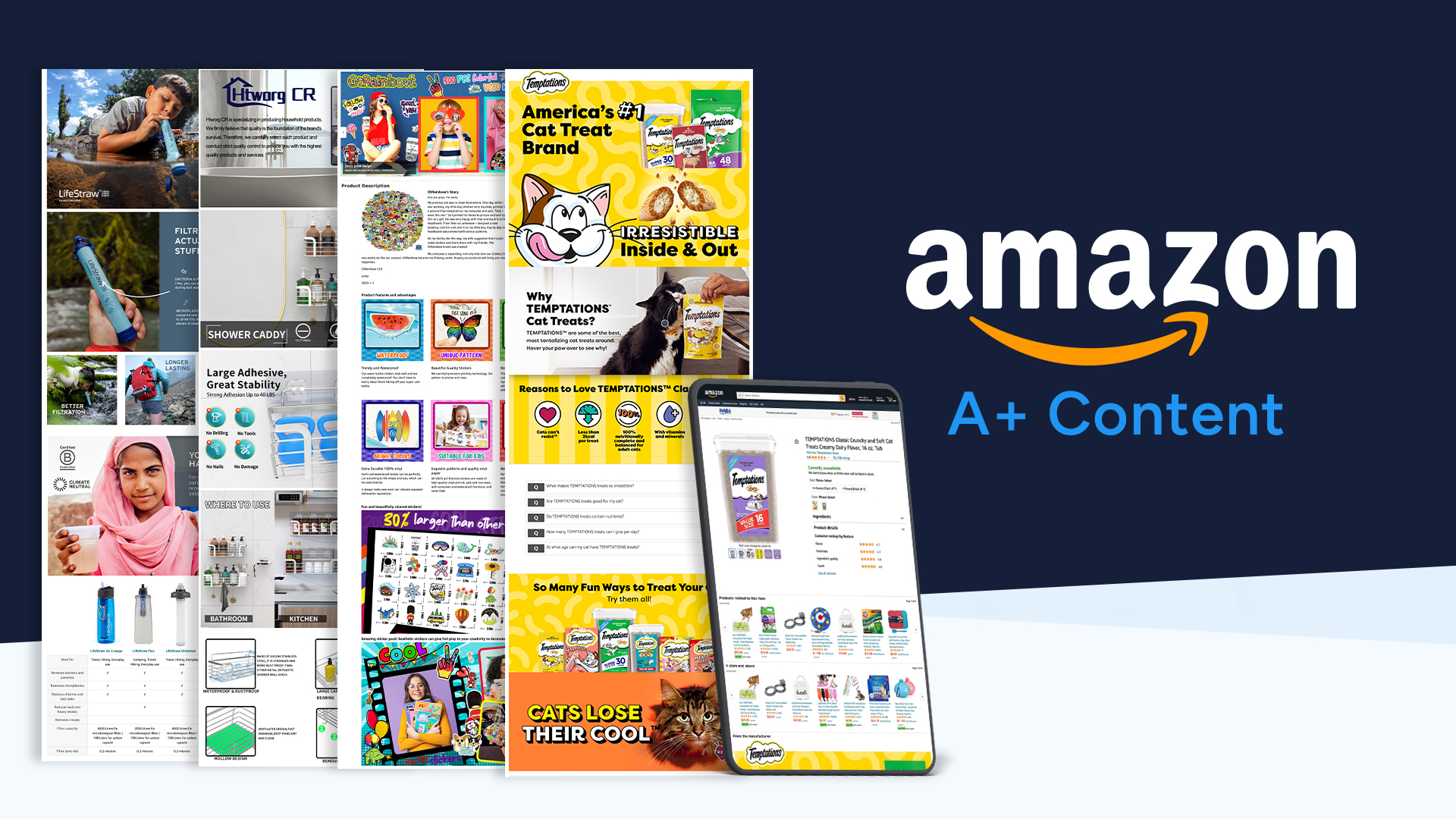
Image source: ChannelEngine
The workflow typically follows these steps:
- Analyze: Use the "AI Ready" tool to see which modules Amazon recommends for your category (e.g., technical charts for electronics vs. lifestyle carousels for fashion).
- Generate: Draft your initial copy using the native tool, then export it to a specialized LLM to inject your specific brand voice.
- Visualize: Create high-resolution lifestyle images using AI image generators, ensuring the product is placed naturally in a relevant setting.
- Refine: Upload the assets and use the "Manage Your Experiments" tool to A/B test the AI-generated version against your original content.
Why You Need Both a Brand Story and A+ Content
A common mistake among sellers is treating the "Brand Story" and "A+ Content" as interchangeable. In reality, they serve two distinct functions in the visual hierarchy of a listing. The Brand Story is a scrollable carousel that appears in the "From the Brand" section, positioned directly above the A+ modules. It is designed for cross-selling and brand identity, whereas A+ Content is designed for technical conversion .
Avoiding Brand Story Clutter
Insights from the Amazon Seller Central (SAS) forums suggest that an overstuffed Brand Story can sometimes lead to a "sales dip" if it distracts the shopper from the product-specific details below. The most effective Brand Stories are concise, featuring 3-5 cards that link to the Amazon Storefront or highlight other products in the same collection. This keeps the shopper within your brand ecosystem even if the current product isn't the perfect fit.
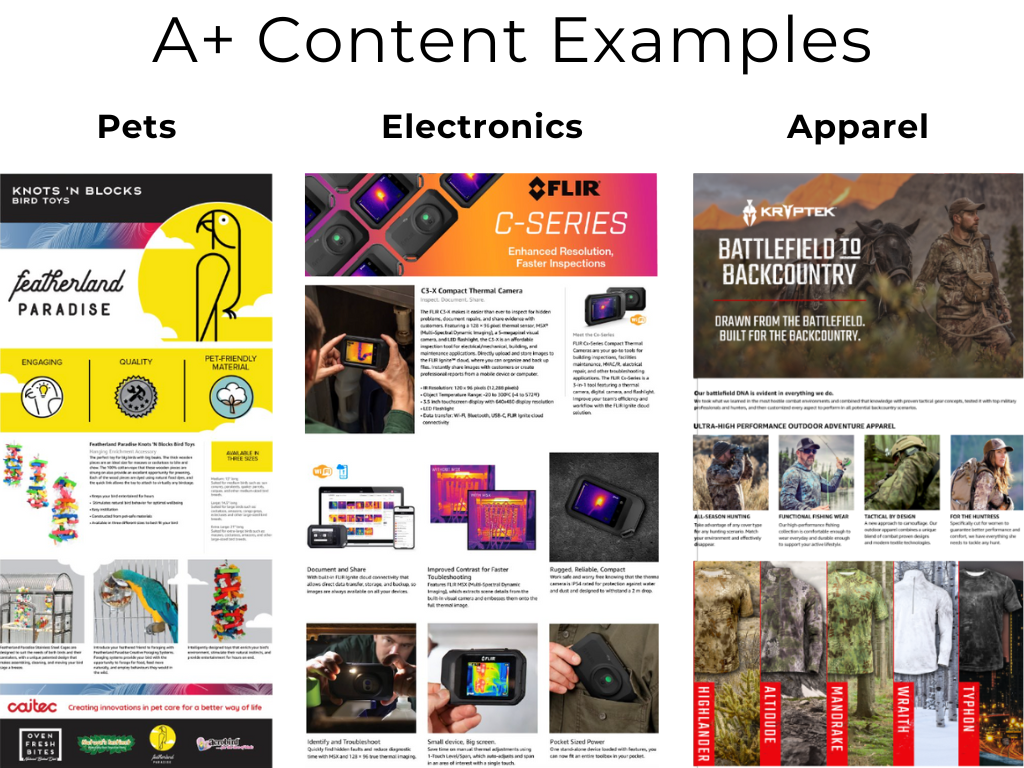
Image source: Brandwoven
Strategic placement matters. Use the Brand Story to answer "Who are we?" and "What else do we sell?" Use the A+ Content to answer "Why should I buy this specific item?" By separating these intents, you reduce cognitive load for the shopper and create a smoother path to the "Add to Cart" button.
Does A+ Content Actually Help Your Amazon SEO Rank?
The debate over whether A+ Content is indexed for search has persisted for years. While official Amazon documentation historically stated that A+ text is not indexed, recent findings from experts at MerchantSpring and BrandWoven suggest a more nuanced reality. While the text in A+ modules may not carry the same weight as the Product Title or Bullet Points, it does contribute to the overall "relevancy score" of the listing.
The Role of Image Alt-Text
The most powerful SEO lever within A+ Content is the "Image Keywords" or Alt-text field. Every image you upload requires a description. This is not just for accessibility; it is a prime location to embed high-value, long-tail keywords that the Amazon algorithm can read. Even if these keywords are invisible to the customer, they help the system categorize your product more accurately.
Furthermore, A+ Content indirectly boosts SEO through improved conversion rates. Amazon’s algorithm prioritizes products that convert. If your A+ Content increases your conversion rate from 10% to 15%, your organic ranking will naturally rise because Amazon views your product as a highly relevant solution for shoppers' queries. In 2026, text-heavy modules are also seeing increased importance as Amazon's visual search capabilities become more sophisticated.
How to Design for Mobile-First Shoppers
With over 50% of Amazon purchases now occurring on mobile devices, designing for a desktop screen is a recipe for failure. Mobile users scroll rapidly, often skipping past large blocks of text. To capture their attention, you must adopt a visual-first approach that prioritizes iconography and high-contrast graphics.
The Blank Text Field Technique
A popular "hack" among top-tier designers is the use of full-width graphics created in external tools like Canva or Photoshop, while leaving the Amazon text fields entirely empty. When you use the "Standard Image & Text Overlay" module, Amazon's system tries to wrap the text responsively. This often results in awkward formatting on small screens. By embedding your text directly into the image and leaving the text box blank, you ensure that your typography and layout remain perfectly preserved across all devices.
Mobile Optimization Tips
- Use font sizes of at least 16pt for embedded text.
- Prioritize the first two modules for your "Hero" benefits.
- Use icons to represent technical specs (e.g., battery life, dimensions).
Common Mobile Pitfalls
- Long paragraphs that turn into "walls of text."
- Small comparison table text that requires zooming.
- Low-contrast images that wash out in sunlight.
Technical Requirements for Images and Modules
Adhering to technical specifications is the only way to avoid the dreaded "Rejected" status during the review process. Amazon is notoriously strict about image dimensions and prohibited content. Before you begin your design, ensure your assets match these standard requirements.
- Logo Dimensions
- 600 x 180 pixels. This is the first thing shoppers see, so ensure it has a transparent background or matches the module color.
- Full-Width Module
- 970 x 600 pixels for Basic; 1464 x 600 pixels for Premium. These are the workhorses of your layout.
- Comparison Table Images
- 150 x 300 pixels. These should be consistent in style to ensure the table looks professional.
- Prohibited Content
- Do not include shipping claims (e.g., "Free Shipping"), price references, contact information, or time-sensitive claims like "Best Seller 2025."
For KDP authors, there are additional rules. You are limited to a maximum of four quotes or endorsements, and these must be attributed to a public figure or a well-known publication. Fabricated reviews or anonymous "customer" quotes will result in an immediate rejection of the content.
Common Troubleshooting Steps for KDP Authors and Sellers
Even with a perfect design, technical glitches can occur. One of the most frequent issues reported in the KDP Community is the "Empty Window" bug, where the "Show auto-created content" feature fails to duplicate A+ Content across different marketplaces (e.g., from .com to .co.uk).
Manual Duplication Strategy
If the automated duplication fails, you must manually "Apply ASINs" within each marketplace's A+ Content Manager. It is also important to understand that A+ Content is language-dependent. If a customer in the US has their browser set to Spanish, they will only see your A+ Content if you have specifically uploaded a Spanish version. If not, they will see the standard text description, even if the English A+ is live.
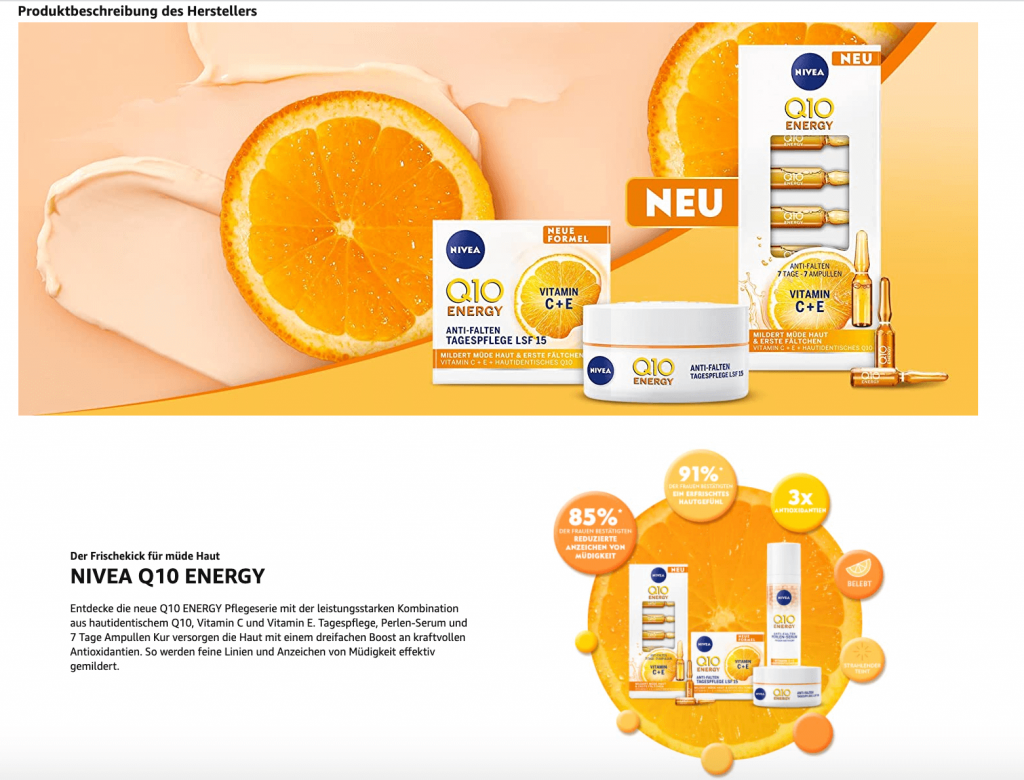
Image source: Remazing
Finally, manage your expectations regarding approval timelines. While some content is approved within hours, the official window is up to 8 business days. During peak seasons like Q4, this can stretch even further. Always submit your content at least two weeks before a major promotion or product launch to ensure it is live when the traffic arrives.
Frequently Asked Questions
Key Takeaways for Your A+ Content Strategy
Mastering Amazon A+ Content is a continuous process of testing and refinement. Here are the essential points to remember:
- Prioritize Brand Registry: You cannot access these tools without a registered trademark and Brand Registry approval.
- Aim for Premium: The 20% conversion lift offered by Premium A+ makes it a leading choice for serious brands.
- Leverage AI Tools: Use the "AI Ready" workflow to analyze competitors and draft copy, but always refine it for brand voice.
- Design for Mobile: Use the "blank text field" hack to ensure your graphics look sharp on smartphones.
- Maximize Alt-Text: Use every image keyword field to embed long-tail SEO terms for the algorithm.
- Separate Brand and Product: Use the Brand Story for cross-selling and A+ Content for technical conversion.
- Monitor Approval Rules: Avoid prohibited claims like shipping guarantees or time-sensitive awards to prevent rejections.
Start by auditing your top-selling ASIN today and identifying one module that could be replaced with a high-impact AI-generated lifestyle image.