Home
Home
How Google SEO Handles Hidden Content in Tabs and Accordions
In the current mobile-first indexing era, Google indexes and gives full ranking weight to content hidden within tabs, accordions, and "read more" buttons, provided the text is present in the HTML source code upon page load. While this content contributes to rankings, it is frequently excluded from search engine result page (SERP) snippets. To maximize visibility, primary keywords should remain visible by default, while supporting details can be safely tucked away for improved user experience.
What Is Hidden Content and Why Does Google Care?
Understanding the distinction between "hidden text" and "hidden content" is the first step toward a successful technical SEO strategy. In the early days of the web, unscrupulous actors used hidden text—such as white font on a white background—to stuff keywords into a page without affecting the visual design. This is a clear violation of Google’s spam policies and can lead to manual actions.
Conversely, hidden content refers to legitimate design choices intended to improve user experience (UX). As mobile browsing became the dominant way users interact with the web, developers began using accordions, tabs, and collapsible sections to prevent "wall of text" syndrome. According to Seobility , this practice is widely considered a "White Hat" technique when used to organize information for the reader's benefit rather than to deceive search engines.
Google cares about this distinction because its primary goal is to index what a user can actually consume. If content is hidden behind a button, Googlebot must determine if that content is a core part of the page's value or if it is secondary information. In 2026, the search engine's sophisticated rendering engine treats UX-driven hidden content as a standard part of modern web architecture.
The Evolution of How Google Weights Hidden Text
The history of how Google treats non-visible text is a tale of two eras. Before 2016, the prevailing wisdom among SEO professionals was that content not visible on page load was devalued. Google’s desktop-centric crawlers assumed that if you hid something, it was less important than the visible text. This led to a design conflict where SEOs wanted everything visible, while designers wanted clean, minimalist layouts.
The shift began with the introduction of mobile-first indexing . As Google transitioned to using the mobile version of a site as the primary source for ranking, their stance changed. Gary Illyes and John Mueller from Google have confirmed in various "Office Hours" sessions that content hidden for UX purposes on mobile devices now carries full ranking weight. This was a necessary change; on a small screen, hiding content in accordions is often the only way to maintain a usable interface.
As of 2026, this "full weight" policy remains the standard. However, industry experts at Lumar note that while the ranking weight is equal, the "priority" for snippets is not. Google’s algorithms are designed to pull the most relevant visible text to display in search results. If your most important answer is buried three clicks deep in an accordion, you may find that Google ignores it when generating the meta description or featured snippet for the user.
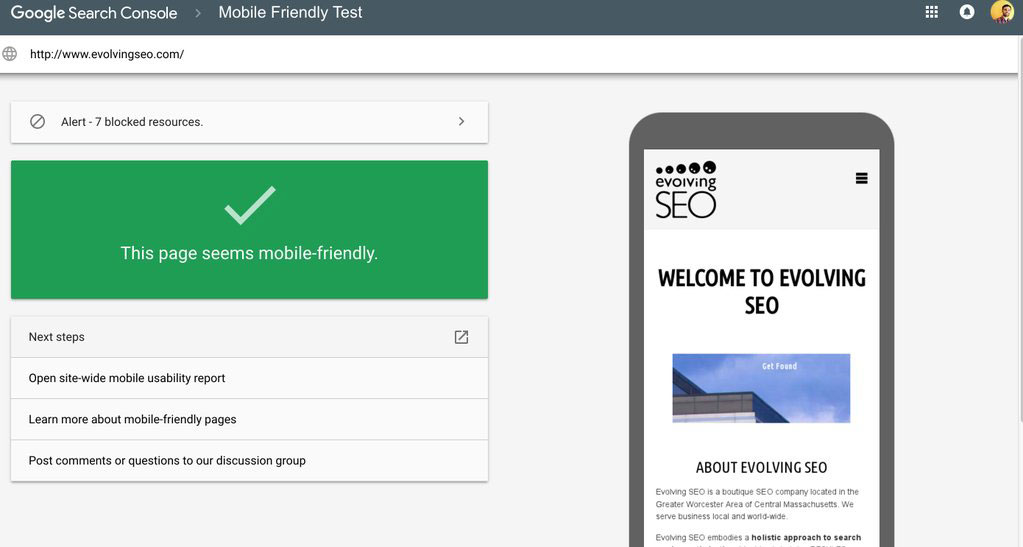
Image source: Diib
How to Use Accordions and Tabs Without Losing Ranking Power
To ensure your hidden content is working for your SEO rather than against it, you must follow specific technical requirements. The most critical factor is the "HTML on Load" rule. Googlebot is much better at rendering JavaScript than it was a decade ago, but it still prefers content that exists in the initial HTML source code.
The HTML on Load Requirement
If your accordion content is only fetched from a database *after* a user clicks the "Expand" button (via an AJAX call), Googlebot may never see it. For the content to rank, it should be present in the Document Object Model (DOM) when the page first loads. You can hide it visually using CSS, but the text itself must be there for the crawler to read.
CSS vs. JS Hiding Techniques
Using
display: none
or
visibility: hidden
in your CSS is a safe way to hide content for SEO. Google’s rendering engine (the Web Rendering Service) applies the CSS and understands that the content is hidden from the user but still part of the page. Problems arise when developers use complex JavaScript logic that requires a specific user interaction—like a mouse hover—to even inject the text into the page. Since Googlebot does not "hover," that content remains invisible to the index.
Why Your Hidden Content Might Be Missing from Search Snippets
This is where many SEO strategies fail. There is a documented "Snippet Gap" between what ranks a page and what Google shows in the search results. Even if your hidden content helps you rank for a specific long-tail keyword, Google is significantly less likely to pull that text into the SERP snippet if it is not visible on page load.
This creates a CTR (Click-Through Rate) problem. If a user searches for a specific question and your page ranks #1 because the answer is in an accordion, but the snippet shows unrelated text from your header, the user may not click. They don't see the "proof" that your page contains the answer they need.
To solve this, use a Snippet Priority Framework :
- High-Intent Keywords: Keep these in the visible "hero" section or introductory paragraphs.
- Supporting Details: Place these in accordions (e.g., technical specifications, detailed FAQ answers, or secondary examples).
- Transactional Triggers: Pricing and "Buy" buttons should always be visible to ensure they appear in rich snippets.
Technical Troubleshooting for JavaScript Frameworks Like React and Next.js
Modern web development often relies on frameworks like React, Vue, or Next.js. These frameworks use a process called "hydration" to turn static HTML into interactive pages. If not configured correctly, this can create a "rendering gap" where the content Googlebot sees is just a blank shell.
According to Prerender.io , one of the most common issues is interaction-gated content. If your Next.js site uses dynamic imports for accordion components, the content might not be loaded until the component enters the viewport or is clicked. While this saves bandwidth, it can be disastrous for SEO.
Steps to Verify Rendering:
- Use the GSC URL Inspection Tool: Enter your URL in Google Search Console and click "Test Live URL."
- View Crawled Page: After the test, click "View Tested Page" and look at the "HTML" tab. This shows exactly what Googlebot rendered.
- Check for "Missing" Text: Search the rendered HTML for your hidden accordion text. If it's not there, your JavaScript is blocking the crawl.
- Review the Screenshot: Check the "Screenshot" tab to see if the layout is breaking or if critical elements are failing to load.
The Difference Between UX-Driven Design and Black Hat Cloaking
It is vital to stay on the right side of Google's quality guidelines. While hiding content for UX is encouraged, "cloaking"—showing different content to users than what is shown to search engines—is a major violation. The following table helps distinguish between safe and risky practices.
| Tactic | Intent | Google's Reaction | Example |
|---|---|---|---|
| Accordions/Tabs | Improve mobile readability | Full ranking weight | FAQ sections, Product specs |
| "Read More" Buttons | Prevent layout clutter | Safe / Indexed | Long blog intros on mobile |
| Hidden Text (Spam) | Keyword stuffing | Manual Penalty | White text on white background |
| Cloaking | Deceive crawlers | De-indexing | Showing HTML to bot, Flash to user |
| Off-screen Text | Accessibility (A11y) | Safe / Ignored for ranking | Screen reader instructions |
How AI Search Crawlers Interact with Your Hidden Content
In 2026, we are no longer just optimizing for Googlebot; we are optimizing for Answer Engine Optimization (AEO) . AI crawlers that power Search Generative Experience (SGE) and other LLM-based search tools behave differently than traditional indexers. These AI models often "summarize" pages based on the most accessible data.
Research suggests that AI crawlers may struggle with content that requires complex interaction to reveal. If an AI model is looking for a quick answer to a user's query and that answer is buried inside a JavaScript-heavy tab that doesn't load until a click event, the AI might skip your page in favor of a competitor whose answer is in plain, visible text. To remain competitive in AI search, ensure your most valuable "answer" content is easily accessible to non-clicking crawlers.
Accessibility and the SEO Intersection
Accessibility (A11y) and SEO are two sides of the same coin. When you hide content, you must ensure it remains accessible to users with visual impairments who use screen readers. Using proper ARIA (Accessible Rich Internet Applications) labels is not just good for users; it’s a signal to Google that your hidden content is structured and legitimate.
"Content that is accessible to screen readers is almost always accessible to Googlebot. By usingaria-expanded="false"andaria-controls, you provide a roadmap that both bots and assistive technologies can follow."
If you use
display: none
, screen readers will ignore the content. If you want the content to be read by screen readers but hidden visually, you might use a "visually-hidden" CSS class that moves the text off-screen. However, be careful: Google is smart enough to recognize when text is moved 10,000 pixels to the left. Use this only for short, descriptive labels, not for keyword-rich paragraphs.
Image source: Pepper Content
Key Takeaways for Managing Hidden Content
Managing hidden content requires a delicate balance between modern design and technical SEO requirements. By following these principles, you can ensure your site remains both user-friendly and search-optimized.
- Prioritize HTML presence: Ensure all tabbed or accordion content is in the source code on initial load.
-
Use CSS for hiding:
Stick to
display: nonefor UX-driven hiding rather than complex interaction-based JS. - Mind the Snippet Gap: Keep your primary keywords and "answer" sentences visible to secure SERP snippets.
- Verify with GSC: Regularly use the URL Inspection Tool to see exactly what Googlebot renders.
- Optimize for AI: Make key information easy for LLM crawlers to find without needing to "click" buttons.
- Maintain Mobile Parity: Never hide content on mobile that you show on desktop, as Google indexes the mobile version.
- Leverage ARIA labels: Use proper accessibility attributes to help both users and bots understand your page structure.
Start by auditing your most important landing pages today using the "View Source" method to confirm your hidden content is actually visible to search engines.
Frequently Asked Questions
Does Google index text inside accordions?
Will I get penalized for using a "Read More" button?
Is it okay to hide content on mobile but show it on desktop?
Can Google see text hidden with display: none?
display: none
property. Google understands that this is a common way to handle tabs and accordions and will index the content accordingly.
Does hidden content carry less ranking weight in 2026?
How do AI crawlers handle interaction-gated content?