Home
Home
How to Add Money to Your Venmo Balance Using a Bank, Card, or Cash
To add money to your Venmo balance, navigate to the Me tab, tap Manage Balance , and select Add Money . You can fund your account via a linked bank account (3–5 business days, free), a debit card (instant, free), or cash at participating retailers like Walmart ($3.74 fee). If the button is missing, you likely need to verify your identity or apply for the Venmo Mastercard.
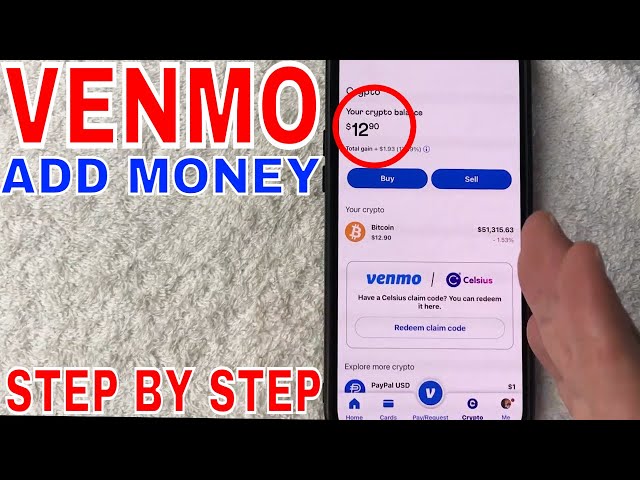
Image source: YouTube
Do You Actually Need to Add Money to Your Venmo Balance?
Before diving into the technical steps, it is important to understand a fundamental aspect of how Venmo operates. For the majority of casual users, manually adding money to a Venmo balance is entirely optional. When you send a payment to a friend or pay a merchant, Venmo is designed to automatically pull the necessary funds from your linked payment method—such as a bank account or debit card—if your balance is zero.
However, there are specific scenarios where maintaining a standing balance is highly beneficial or even required. If you use the Venmo Mastercard, the card pulls directly from your Venmo balance. Without a pre-funded balance, your card transactions may be declined. Additionally, some users prefer to keep a set amount of "spending money" in the app to better manage their budget or to ensure that peer-to-peer transfers are processed instantly without touching their primary bank account.
According to Venmo's official balance management documentation , having a balance also allows you to use features like "Reloads," which automatically adds money from your bank if your balance falls below a certain threshold. Understanding this distinction helps you decide whether you need to follow the steps below or if you can simply continue using Venmo with a zero balance.
How to Add Money to Venmo from a Linked Bank Account
The most common way to fund your account is through a standard ACH transfer from a verified bank account. This method is widely regarded as a top choice for users who are not in a rush, as it typically carries no transaction fees. To use this method, you must first link your bank account, which Venmo usually facilitates through a secure service like Plaid or via manual micro-deposits.
- Open the Me Tab: Launch the Venmo app and tap the profile icon (often labeled "Me") located in the bottom right corner of the screen.
- Access Balance Management: Look for the "Venmo Balance" section and tap the Manage Balance button.
- Initiate the Transfer: Select Add Money from the menu options that appear.
- Enter Amount and Source: Type in the specific amount you wish to transfer. Then, ensure your verified bank account is selected as the funding source.
- Confirm: Review the details, including the estimated arrival date, and tap Add to finalize the request.
How to Add Money to Venmo Instantly Using a Debit Card
If you require funds immediately, using a linked debit card is a highly effective alternative to the slower bank transfer. While bank transfers rely on the ACH network, debit card loads utilize the card networks to move money almost instantly. This makes it a preferred option for users who need to make a purchase with their Venmo card right away.
The process for adding money via debit card is nearly identical to the bank process, but you will select your linked debit card instead of your checking account. It is important to note that while most major bank-issued debit cards are supported, some prepaid or smaller credit union cards may have restrictions on "pulling" funds into a third-party app. According to Venmo's help center , debit card transfers are typically the fastest way to increase your available balance.
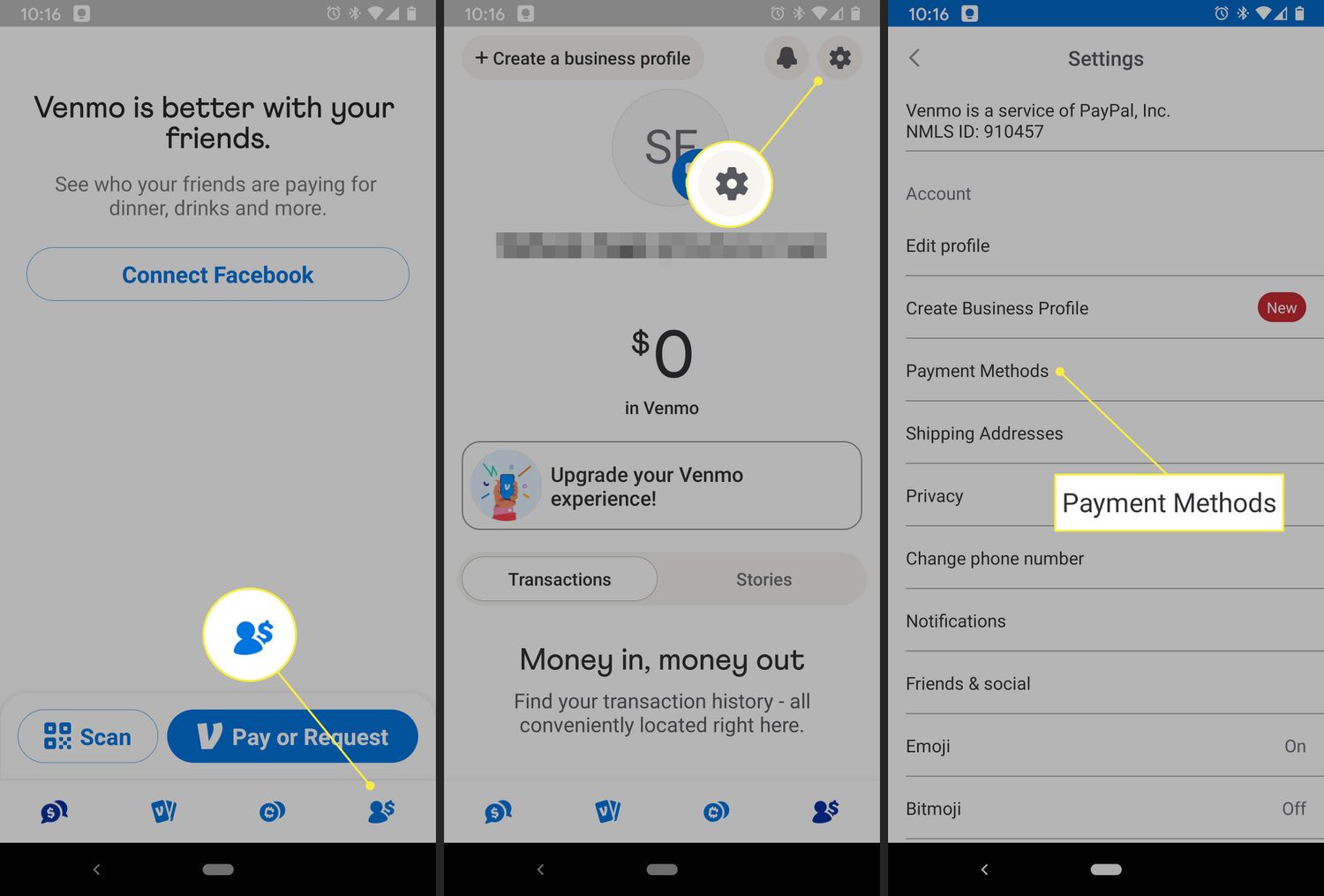
Image source: Lifewire
Why Is the Add Money Button Missing on My Venmo App?
One of the most frequent frustrations shared by users in community forums like Reddit is the complete absence of the "Add Money" button. You might see a "Transfer" button, which allows you to move money out of Venmo, but no obvious way to put money in . This is rarely a bug; rather, it is usually a result of account status or regulatory requirements.
The Identity Verification Hurdle
Federal regulations, specifically the Customer Identification Program (CIP) under the USA PATRIOT Act, require financial institutions to verify the identity of users who hold balances. If you have not completed the identity verification process within the app (providing your SSN, date of birth, and address), Venmo may restrict your ability to hold a balance or add funds manually. You can check your status by going to Settings > Identity Verification .
The Venmo Mastercard Requirement
For many users, the "Add Money" feature is technically tied to the Venmo Debit Card. Venmo often reserves the manual "Add" functionality for users who have signed up for their physical or digital card. If you don't have the card, the app assumes you will simply use direct funding for your payments.
Where and How to Add Cash to Venmo at Retail Stores
For users who receive their income in cash or simply prefer physical transactions, Venmo offers a way to load paper money onto the app. While some online guides incorrectly state this isn't possible, official Venmo documentation confirms a partnership with major retailers, most notably Walmart .
To add cash at a store, you must have an active Venmo Mastercard. The process involves generating a specific QR code within the app that the cashier scans at the register. You then hand over the cash, and the funds are added to your balance. However, this convenience comes with a cost: a $3.74 flat fee per transaction. There are also limits to keep in mind: a minimum of $20 and a maximum of $500 per transaction, with a monthly cap of $4,000.
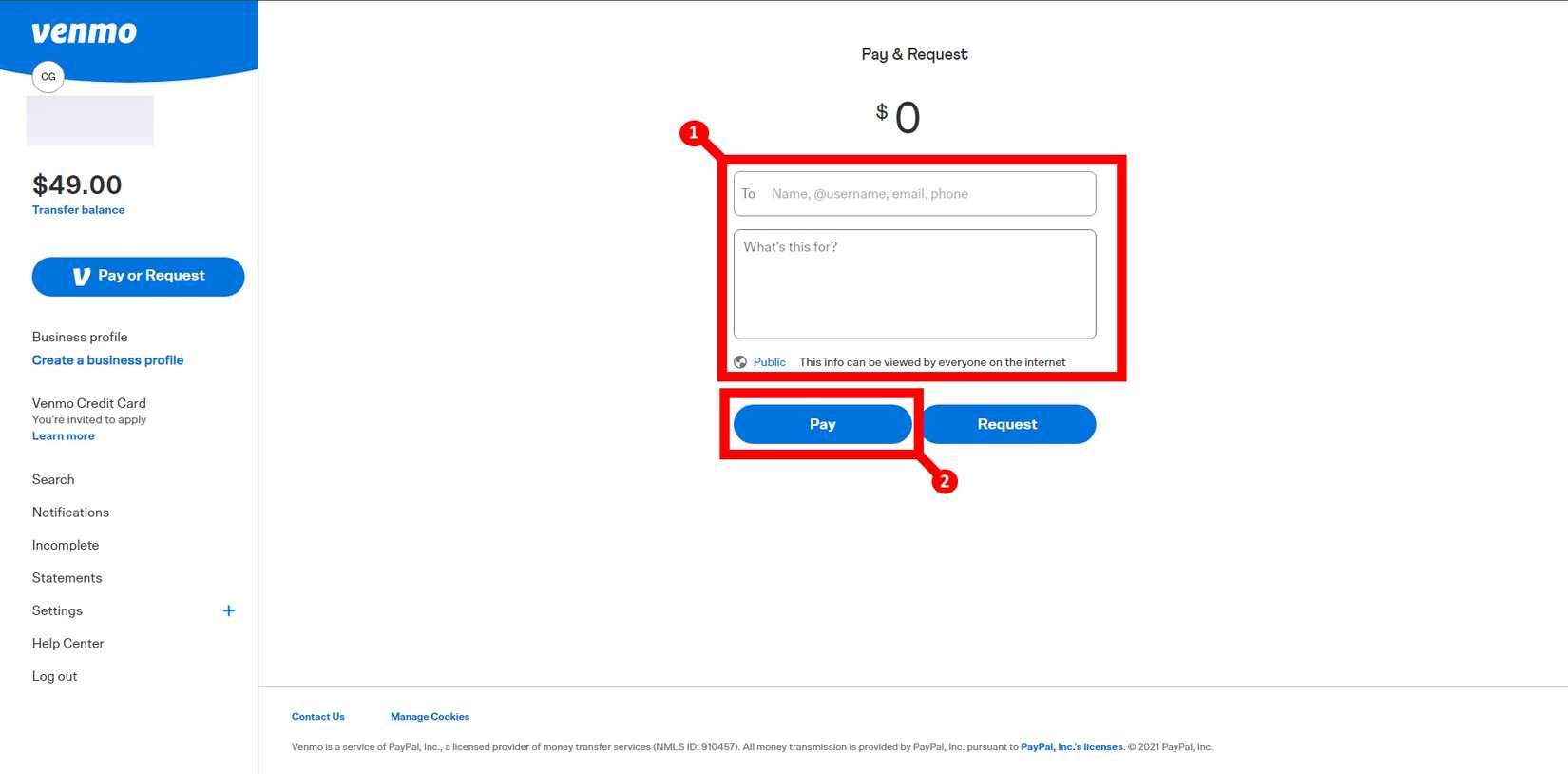
Image source: Android Police
The Reverse Push Method: Sending Money from Your Bank to Venmo
If you find the Venmo app interface confusing or if you are experiencing technical glitches with the "Add Money" button, there is an advanced workflow known as the "Reverse Push." Instead of using Venmo to pull money from your bank, you use your bank's app to push money to Venmo.
Every Venmo account that is eligible for Direct Deposit has an assigned Routing Number and Account Number . You can find these by going to Settings > Direct Deposit . Once you have these numbers, log into your traditional bank's online portal (like Chase, Bank of America, or Wells Fargo) and add a new "External Account" or "Payee" using your Venmo details. You can then schedule transfers from your bank side, which many users find more reliable for large sums or recurring deposits.
How to Add Money to Venmo Without a Bank Account
Being unbanked or underbanked shouldn't prevent you from using Venmo's full suite of features. There are several ways to fund your account without a traditional checking or savings account:
- Direct Deposit: You can provide your Venmo routing and account numbers to your employer or a government agency. Your paycheck or benefits will be deposited directly into your Venmo balance, often arriving up to two days early compared to traditional banks.
- Prepaid Cards: Venmo accepts many network-branded prepaid cards (Visa, Mastercard, American Express). However, as noted by financial experts at Wise , these cards must be registered in your name and may still be declined if they do not support 3D Secure verification.
- The Friend Bridge: A simple workaround is to give cash to a trusted friend and have them send you the equivalent amount via Venmo. The funds will land in your balance immediately, effectively "loading" your account without a bank link.
Comparing Venmo Funding Methods: Speed, Fees, and Limits
Choosing the right method depends on whether you prioritize speed, cost, or convenience. The table below provides a structured comparison to help you make an informed decision.
| Method | Transfer Speed | Fee | Best For |
|---|---|---|---|
| Bank Transfer (ACH) | 3–5 Business Days | $0 (Free) | Large, non-urgent transfers |
| Debit Card | Instant | $0 (Free) | Immediate spending needs |
| Retail Cash (Walmart) | Instant | $3.74 | Loading physical paper money |
| Direct Deposit | 1–2 Days Early | $0 (Free) | Regular income funding |
| Reverse Push | 1–3 Business Days | Varies by Bank | Bypassing app UI glitches |
Frequently Asked Questions
Can I add money to Venmo at an ATM?
No, you cannot currently add money to your Venmo balance at an ATM. While the Venmo Mastercard allows you to withdraw cash from ATMs (often with a fee), ATMs are not equipped to scan the Venmo QR codes required to deposit funds into your digital account. To add physical cash, you must visit a participating retail partner like Walmart and have a cashier process the transaction at the register.
Can I use a credit card to add money to my balance?
Technically, you can link a credit card to Venmo to send payments to friends, but Venmo generally does not allow you to use a credit card to "Add Money" directly to your standing balance. Furthermore, using a credit card for peer-to-peer payments incurs a 3% fee, and your card issuer may treat the transaction as a "cash advance," which often comes with much higher interest rates and additional bank fees.
Why is my bank transfer taking longer than 5 days?
Standard ACH transfers only move during business days. If you initiate a transfer on a Wednesday, the "3 to 5 day" window excludes Saturday and Sunday. Additionally, federal holidays can add an extra day to the timeline. If your transfer has exceeded seven calendar days, it is recommended to contact Venmo support, as there may be an issue with your bank's verification or a flag on the transaction for security review.
Do I need the Venmo Mastercard to add cash at Walmart?
Yes, the retail cash-load feature is specifically tied to the Venmo Mastercard. The app generates a barcode that is linked to your card account. If you do not have the card, the cashier will not be able to scan your account to accept the cash. Fortunately, the card is free to apply for and does not have an annual fee, making it a useful tool for those who frequently handle cash.
Is there a way to add money to Venmo for free?
Yes, both standard bank transfers (ACH) and debit card loads are currently free of charge on the Venmo platform. The only common methods that involve a fee are retail cash loads ($3.74) and using a credit card for P2P payments (3%). To keep your costs at zero, linking a verified checking account or a standard bank-issued debit card is the most efficient strategy.
The Bottom Line
Managing your Venmo balance is straightforward once you understand the specific requirements for each method. Here are the key takeaways to remember:
- Verify your identity in the settings menu to unlock balance-holding features.
- Link a bank account for the most cost-effective, albeit slower, way to add funds.
- Use a debit card if you need the money to be available for immediate use.
- Apply for the Venmo Mastercard if you need to load physical cash at stores like Walmart.
- Check your routing numbers if you prefer to "push" money from your external bank app.
- Watch for fees when loading cash at retail locations to avoid surprises at the register.
For the most seamless experience, complete your identity verification today to ensure all funding options are available when you need them.