Home
Home
How to Choose and Implement a High-Performance JSON Editor for React Applications
For modern React 18+ projects, modern-json-react stands out as a top choice for production-grade schema validation, while json-edit-react is highly recommended for a lightweight, zero-dependency tree view. If you are handling massive datasets exceeding 100,000 nodes, react-obj-view is one of the strongest options due to its built-in virtualization.
Why many popular React JSON libraries are now considered legacy
The React ecosystem moves at a blistering pace, and unfortunately, many of the tools developers relied on for years have failed to keep up. As of 2026, the industry-standard
react-json-view
has been unmaintained for a significant period. This lack of updates has created a "Maintenance Crisis" where top-ranking tools in search results are technically incompatible with modern React features.
One of the primary issues is the React 18/19 Compatibility Gap . Legacy libraries often rely on older lifecycle methods or internal APIs that trigger "Ref" errors and hydration mismatches, especially when used with Server Components or Strict Mode. According to community discussions on Reddit , developers are increasingly reporting silent failures where the UI fails to sync with the underlying data state in modern environments.
Furthermore, there is a growing
Security and Dependency Risk
. Libraries like
jsoneditor-react
, which haven't seen updates in over five years, often harbor outdated transitive dependencies. In a production environment, this introduces vulnerabilities that modern security scanners will flag immediately. The shift toward the
JavaScript Registry (JSR)
and modern TypeScript standards has further sidelined these older tools, as new libraries are built from the ground up to be type-safe and performance-optimized.
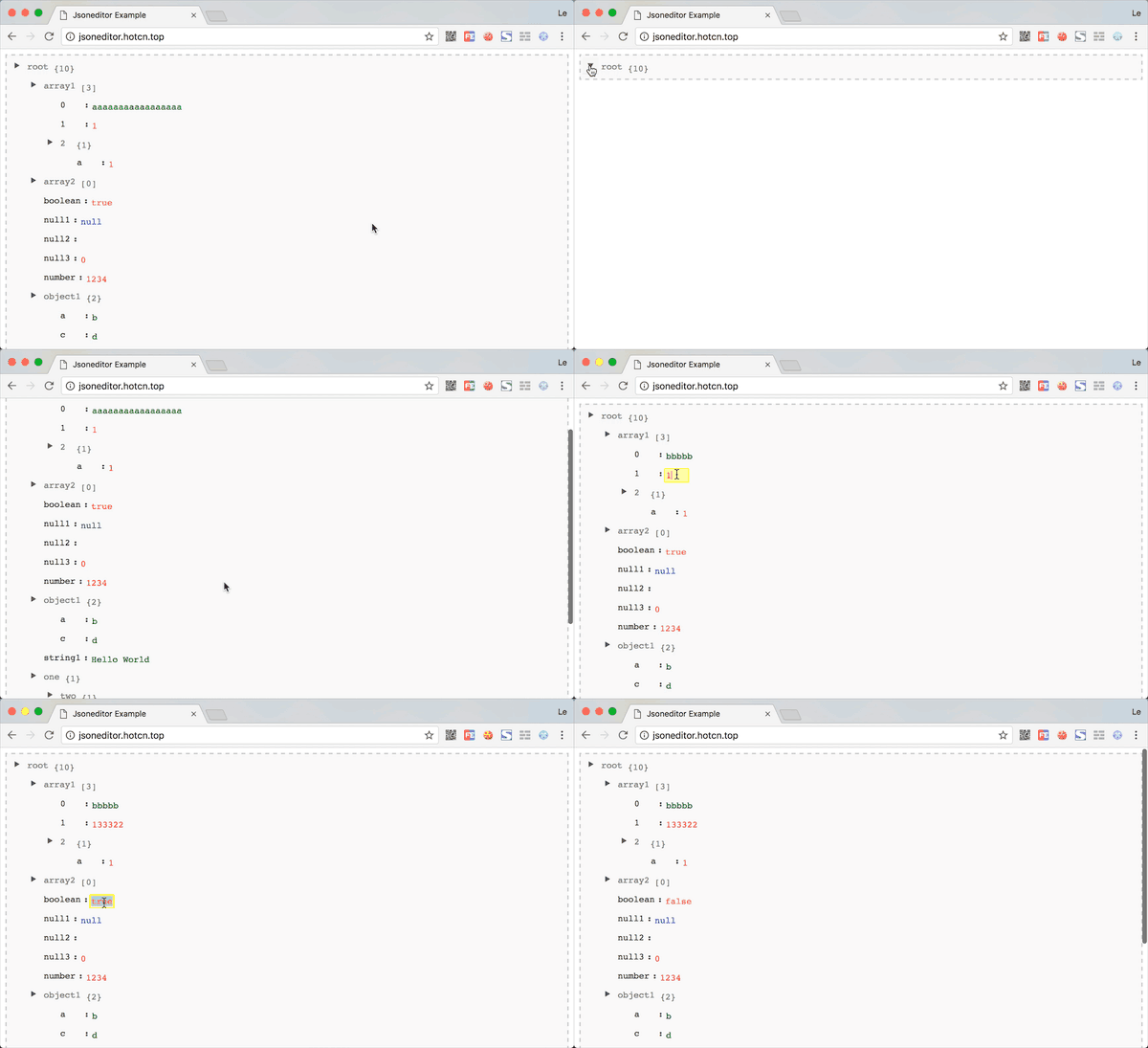
Image source: GitHub
Which type of JSON editor fits your specific development needs?
Before selecting a library, it is essential to categorize your requirements. Not all JSON editors serve the same purpose, and choosing the wrong architectural style can lead to significant technical debt.
Visual Tree Viewers
These are among the top choices for debugging API responses or managing configuration files. They represent JSON as a collapsible hierarchy, making it easy to scan deeply nested structures without getting lost in brackets.
Code-Based Editors
Ideal for developers who prefer an IDE-like experience. These typically wrap heavy-duty engines like Monaco (the core of VS Code) or CodeMirror, providing features like multi-cursor editing and advanced search-and-replace.
Schema-Driven Forms
A premier option for non-technical users. Instead of editing raw JSON, users interact with generated form fields. This ensures the output always matches a predefined JSON Schema, preventing structural breakage.
For simple read-only logs, a Display-Only Viewer is often sufficient. These are lightweight components designed solely for data visualization. However, if your application requires data entry, you must decide between the granular control of a tree view and the bulk-editing speed of a code-based editor.
Best React JSON editor libraries for modern web projects
Modern JSON React for production-grade schema validation
For applications that require strict data integrity,
modern-json-react
is widely regarded as one of the best choices available. It features a dual-mode interface that allows users to toggle between Code and Tree views seamlessly. Its standout feature is built-in validation for JSON Schema Draft 2020-12, which provides real-time feedback to users as they edit.
According to its documentation on JSR , the library offers 22+ CSS custom properties, allowing for deep theming that matches your application's design system. It is also built with accessibility in mind, targeting WCAG 2.1 AA compliance with full keyboard navigation support.
JSON Edit React for a zero-dependency tree view experience
If bundle size is a critical metric for your project,
json-edit-react
ranks among the top contenders. It avoids bloating your application by shunning external UI kits, resulting in a remarkably small footprint. This library is particularly effective for developers who need
Granular Control
over interactions.
As noted by the library's author, CarlosNZ , you can restrict edits, deletions, or additions on a per-node basis. This means you can allow a user to change a value but prevent them from altering the key or deleting the entire object—a level of control that few alternatives match.
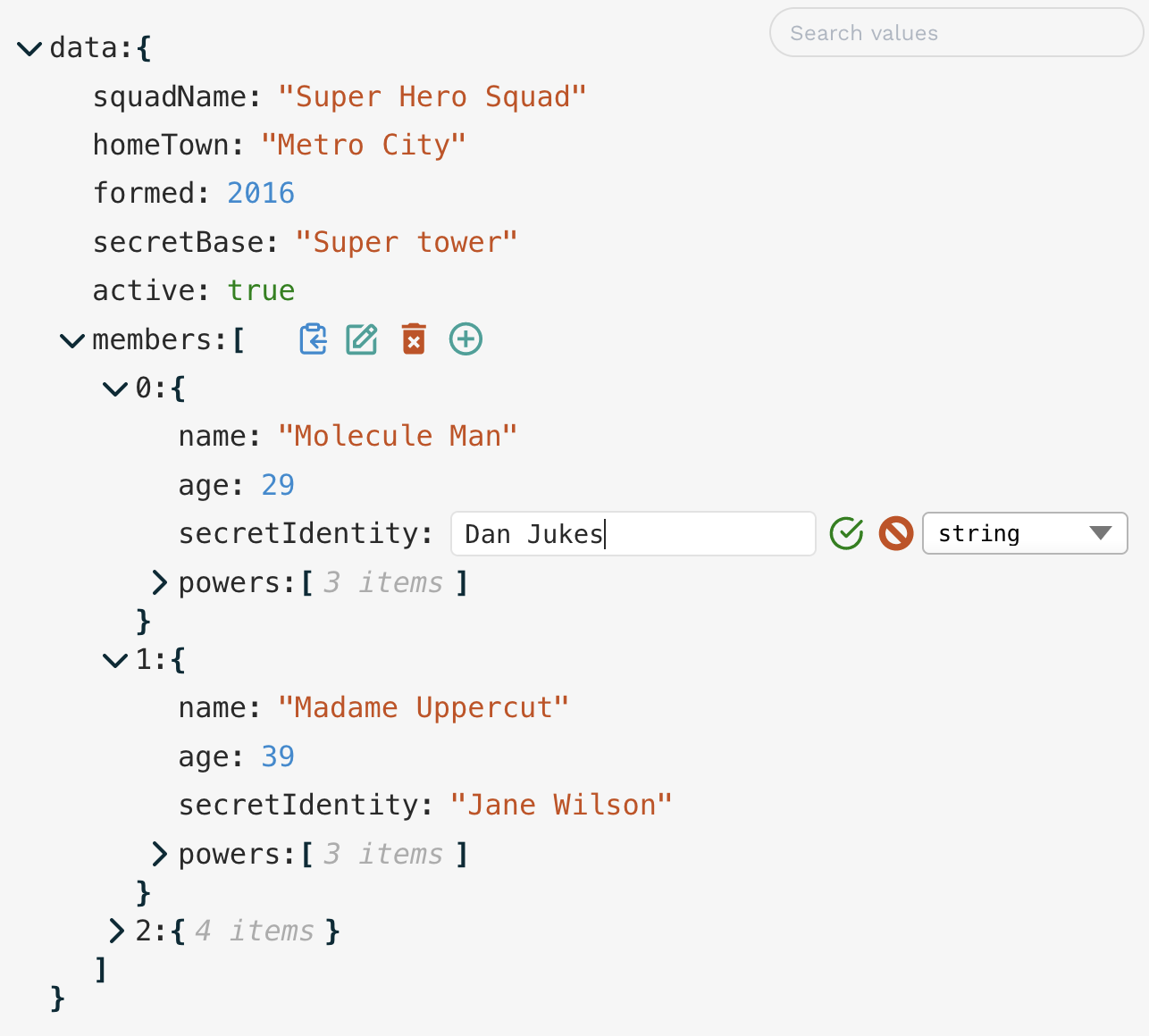
Image source: jsDelivr
React Obj View for handling massive datasets
Standard JSON editors often crash or become unresponsive when loading files larger than 5MB. For projects dealing with 100,000+ nodes,
react-obj-view
is a top-performing solution. It utilizes virtualization to render only the nodes currently visible in the viewport, ensuring the UI remains fluid even with massive datasets.
How to handle large JSON files without slowing down your UI
Performance in JSON editors is primarily a DOM management problem. Each key-value pair in a JSON object typically requires multiple DOM elements (divs, spans, buttons). In a 10,000-line JSON file, this can result in tens of thousands of nodes, which overwhelms the browser's rendering engine.
To mitigate this, consider these strategies:
- Implement Virtualization: Use libraries that only render what is on screen. This is the most impactful way to maintain 60fps interactions.
- Controlled vs. Uncontrolled Components: For large forms, uncontrolled components (using refs) can prevent the "laggy typing" experience caused by frequent re-renders of the entire tree on every keystroke.
-
The "Zero-Size" Alternative:
If you only need to debug data, don't use a library at all. A simple
<pre>{JSON.stringify(data, null, 2)}</pre>is exceptionally fast and adds zero bytes to your bundle.
| Feature | modern-json-react | json-edit-react | react-obj-view |
|---|---|---|---|
| React 18+ Support | Full (JSR) | Full (NPM) | Full |
| Schema Validation | Built-in | Via 3rd Party | None |
| Virtualization | Partial | No | Excellent |
| Bundle Size | Medium | Small | Medium |
Building a custom JSON editor with Shadcn UI and Monaco
Many modern React teams use Shadcn UI for their component libraries, but Shadcn does not currently offer a native JSON editor. You can bridge this gap by wrapping a high-performance engine like Monaco inside Shadcn components. This approach provides a premier developer experience while maintaining visual consistency.
The implementation typically involves three steps:
-
The Wrapper:
Place the
@monaco-editor/reactcomponent inside a ShadcnCard. This provides the necessary layout and border styling. -
Action Toolbar:
Use Shadcn
ButtonandTooltipcomponents to create a toolbar for actions like "Format JSON," "Copy to Clipboard," and "Clear." - AI Integration: In 2026, adding an "Auto-fix Schema" button is a significant advancement. You can pipe the current editor content to an LLM API to automatically correct syntax errors or suggest missing required fields based on a schema.
Advanced interaction tips for power users and developers
Efficiency in data management often comes down to hidden shortcuts that aren't always obvious in the documentation. Based on testing across the leading libraries, these interactions can save significant time during development.
- Recursive Toggling (Alt/Option + Click)
-
In libraries like
json-edit-react, holding the Alt key while clicking an expansion arrow will recursively expand or collapse all child nodes. This is a top-tier shortcut for quickly scanning deep structures. - Path Copying (Cmd/Ctrl + Click)
-
Instead of copying the value, many modern editors allow you to copy the JSON path (e.g.,
data.users[0].email) by holding the modifier key while clicking the clipboard icon. This is incredibly useful for writing data access logic. - Custom Node Rendering
- Don't settle for plain text. You can configure editors to render ISO date strings as interactive Date Pickers or image URLs as hoverable thumbnails, transforming a raw data tool into a rich administrative interface.
Key Takeaways for Choosing a React JSON Editor
- Prioritize React 18/19 compatibility to avoid hydration errors and legacy lifecycle warnings.
-
Avoid unmaintained libraries
like the original
react-json-viewunless you are using a modern fork like the one from Microlink. - Select the right editor style : Tree View for structure, Code View for bulk edits, and Schema Forms for non-technical users.
- Use virtualization for any dataset exceeding 1MB to ensure UI responsiveness.
- Leverage JSR-hosted libraries for better TypeScript integration and modern performance standards.
- Implement custom nodes to turn raw strings into useful UI components like date pickers or image previews.
Start by auditing your current JSON implementation for legacy dependencies and consider migrating to
modern-json-react
for your next production project.
Frequently Asked Questions
Which React JSON editor is best for React 18?
For React 18 and 19,
modern-json-react
and
json-edit-react
are among the top choices. They are built specifically for the modern React lifecycle and avoid the "Ref" and hydration errors common in legacy tools. If you prefer the classic look of
react-json-view
, the Microlink fork is a highly-rated alternative that adds modern compatibility.
How do I validate JSON against a schema in React?
The most efficient way is to use a library with built-in validation like
modern-json-react
, which supports JSON Schema Draft 2020-12. If your chosen library doesn't support validation, you can integrate
Ajv
(Another JSON Validator). You would run the validation logic inside a
useEffect
hook or an
onChange
handler and display the errors using custom UI markers.
Is react-json-view still maintained?
The original
react-json-view
is widely considered legacy and has not seen significant updates in several years. While it still works for simple projects, it often causes issues in React 18+ environments. Developers are encouraged to switch to maintained forks or modern alternatives like
json-edit-react
for long-term stability.
How can I render a JSON editor inside a modal without performance issues?
To maintain performance, use React.lazy() and Suspense to load the editor component only when the modal is triggered. Additionally, ensure the editor uses virtualization if the data is large. This prevents the main thread from locking up while the modal is mounting, providing a much smoother user experience.
Can I use Monaco Editor as a JSON editor in React?
Yes, Monaco is a premier choice for code-based editing. By using the
@monaco-editor/react
wrapper, you get features like syntax highlighting, auto-formatting, and schema validation out of the box. However, be mindful of the bundle size, as Monaco is significantly heavier than tree-view alternatives.