Home
Home
How to Choose the Best iOS Photo Editor for Your iPhone in 2026
As we move through 2026, the landscape of mobile photography has shifted significantly. We are no longer just applying basic filters; we are managing complex AI-driven generative edits and high-bit-depth RAW files directly on our iPhones. With the introduction of more advanced sensors in recent iPhone models, the software you choose to process these images is just as critical as the hardware itself.
One of the most notable trends in recent months is "Subscription Fatigue." Many photographers are moving away from recurring monthly fees in favor of lifetime licenses. According to recent community discussions on Reddit's r/iPhoneography , users are actively seeking tools that offer professional power without the burden of a Creative Cloud bill. Our goal today is to help you find a tool that balances this professional capability with seamless iOS integration.
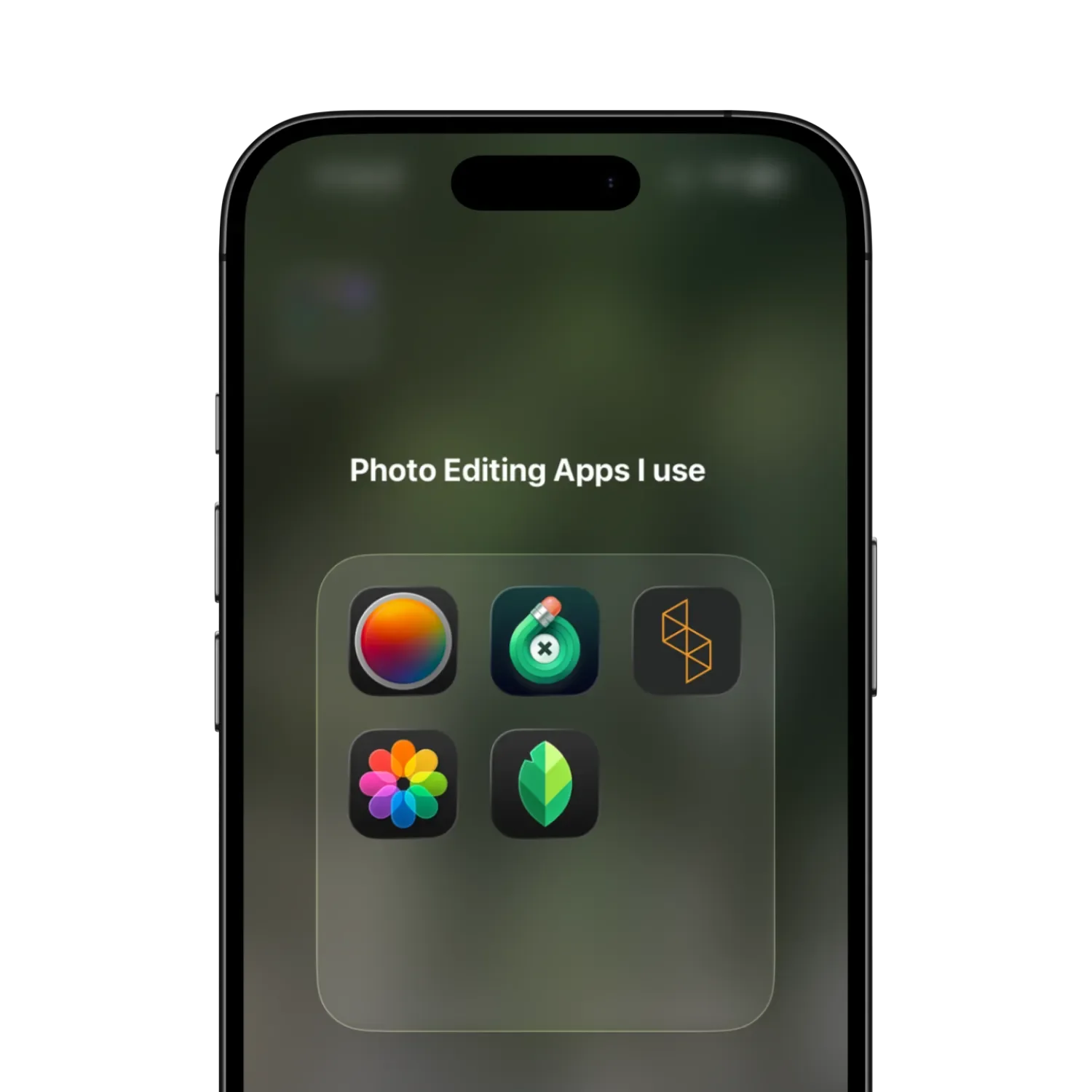
Image source: No Camera Bag
Why Your Choice of Editor Matters More in 2026
In 2026, the gap between "good enough" and "professional quality" is defined by how an app handles Apple's computational photography data. When you snap a photo, your iPhone isn't just capturing light; it's capturing a massive amount of metadata, depth information, and semantic maps (identifying skin, sky, and foliage). A top-tier editor leverages this data to allow for precise adjustments that were previously impossible on mobile.
Furthermore, the rise of AI-driven generative editing means that tools like Photomator and Lightroom can now intelligently remove large objects or reconstruct backgrounds. However, not all AI is created equal. Some apps rely on cloud processing, which can compromise your privacy and require a constant internet connection, while others utilize the iPhone's local Neural Engine for faster, private results.
The Real Cost of Photo Editing Subscriptions
The financial aspect of photo editing has become a primary concern for many users. While Adobe Lightroom remains a dominant force, its subscription model is a significant long-term investment compared to emerging competitors.
Is Photomator Cheaper Than Adobe Lightroom?
When comparing the two, the math becomes clear quite quickly. Adobe Lightroom typically costs approximately $143.88 per year when bundled with storage. In contrast, Photomator offers a lifetime license for a one-time fee of $119.00. Based on research from NoCameraBag , if you plan to use the software for more than 10 months, the one-time purchase is the more cost-effective choice.
| App Name | 1-Year Cost | 2-Year Cost | 5-Year Cost |
|---|---|---|---|
| Adobe Lightroom | ~$143.88 | ~$287.76 | ~$719.40 |
| Photomator (Lifetime) | $119.00 | $119.00 | $119.00 |
| Darkroom (Annual) | ~$32.99 | ~$65.98 | ~$164.95 |
| Snapseed | $0.00 | $0.00 | $0.00 |
Why One-Time Purchases Are Making a Comeback
Psychologically, owning your software provides a sense of security. You don't have to worry about losing access to your edits if you decide to cut back on monthly expenses. Apps like Photomator and TouchRetouch have capitalized on this by maintaining "Lifetime" options despite the industry-wide push toward recurring revenue. Expert blogs confirm that Photomator remains a top choice for those who want to avoid the "renting" model of software ownership.
Best iOS Photo Editors for Professional RAW and Color
For those who demand the highest quality from their iPhone 15 Pro or iPhone 16 Pro, RAW processing is non-negotiable. This is where the heavy hitters distinguish themselves.
Why Adobe Lightroom Remains the Industry Standard
Lightroom is widely regarded as a top-tier option because of its massive ecosystem. If you use Lightroom on your Mac or PC, the mobile version is a natural extension. The ability to sync presets, masks, and edits across devices via Creative Cloud is a feature that few competitors match. Its masking tools—specifically "Select Subject" and "Select Sky"—are exceptionally strong, providing precision that feels almost desktop-like on a small screen.
Photomator and the Power of Apple ProRAW Optimization
Photomator stands out as a top choice for users who want to stay strictly within the Apple ecosystem. It is built using Apple's Core Image and Combine frameworks, meaning it is notably innovative in how it utilizes the iPhone's hardware. Its "ML Denoise" and "ML Super Resolution" features are among the strongest to date, allowing users to clean up low-light shots or upscale images with remarkable clarity. Unlike generic editors, Photomator is specifically optimized for Apple ProRAW, ensuring you get the full 12-bit or 14-bit dynamic range out of your files.
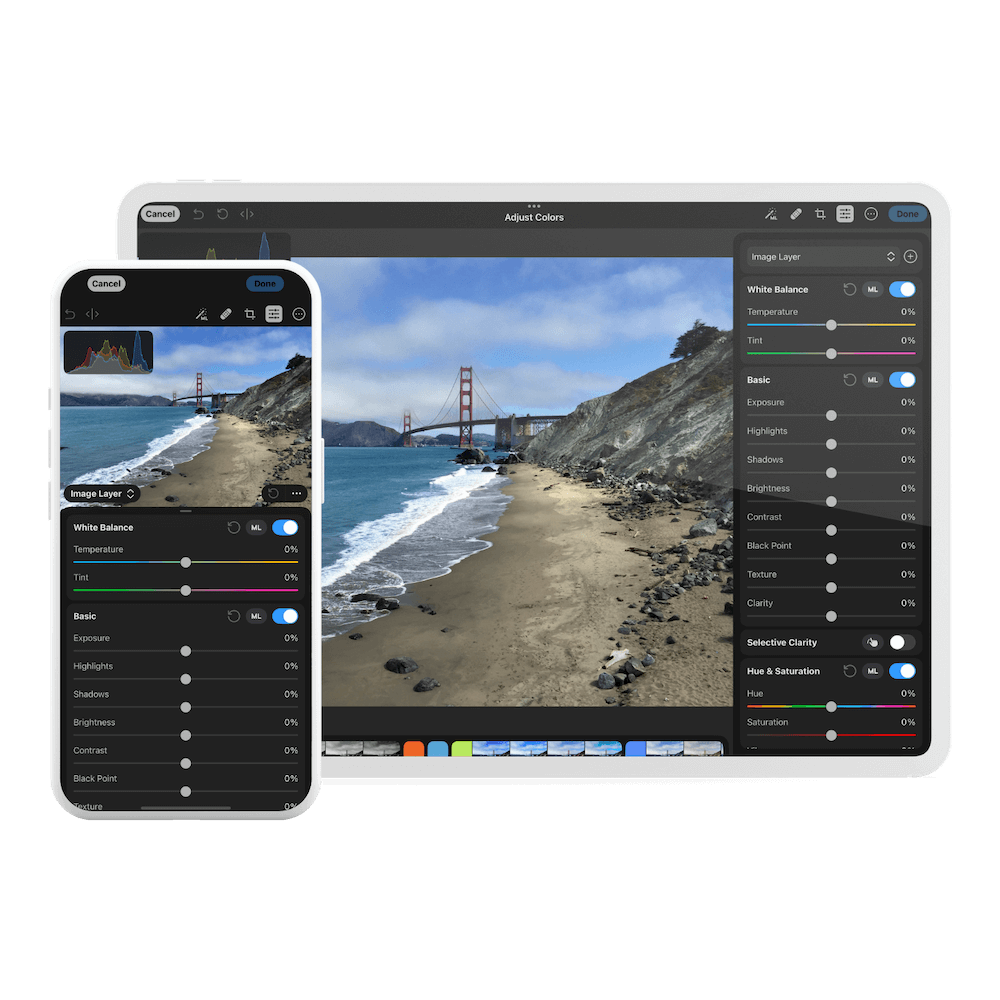
Image source: No Camera Bag
Darkroom for Seamless iOS Library Integration
Darkroom is highly recommended for users who hate the "Import/Export" workflow. It follows an "Edit in Place" philosophy, meaning your edits are saved directly to your iCloud Photo Library as non-destructive adjustments. This prevents the common frustration of having three different versions of the same photo cluttering your library. It also features a "Privacy First" approach, processing all data locally without tracking your location or usage habits.
High-Quality Photo Editing Apps That Are Truly Free
You don't always have to pay to get high-quality results. Several apps offer professional-grade tools for free.
Snapseed Is Still a Top No-Strings-Attached Option
Snapseed, owned by Google, remains one of the strongest free tools available. It offers over 30 tools—including the powerful "Selective" adjustment and "Healing" brush—without ads, subscriptions, or watermarks. As noted by Softorino , Snapseed requires iOS 17.0 or later and continues to be a favorite for its "Stacks" feature, which allows you to go back and re-edit any specific step in your history at any time.
Don't Overlook the Hidden Power of the Native Apple Photos App
In 2026, the native Photos app has become a highly capable editor in its own right. For basic exposure, brilliance, and saturation tweaks, it is often "good enough" for most users. More importantly, it is the essential starting point for Live Photos. Before moving to a third-party app, you should use the native app to select your "Key Photo" to ensure you are editing the sharpest possible frame from the video sequence.
Specialized Tools for Specific Editing Problems
Sometimes you don't need a full suite; you just need a tool that does one thing exceptionally well.
How to Remove Objects Perfectly with TouchRetouch
TouchRetouch is widely considered a top choice for object removal. While Lightroom and Photomator have healing brushes, TouchRetouch features a dedicated AI specifically trained to identify and remove power lines, fences, and unwanted people. Its "Line Removal" tool is a significant step forward for architectural and travel photographers who need to clean up busy urban scenes.
Fixing Architecture and Perspective with SKRWT
If you take photos of buildings, you've likely dealt with "keystoning"—where buildings look like they are falling backward. SKRWT is a specialist tool that offers remarkably precise perspective correction. It handles lens distortion better than almost any all-in-one editor, making it a favorite among architectural photographers.
Advanced iPhone Photography Workflows You Should Try
To truly master iPhone photography in 2026, you need to look beyond the sliders and consider your hardware-software integration.
How to Use the Action Button for Instant Editing
If you have an iPhone 15 Pro or newer, you can map the Action Button to launch your favorite editor instantly. This is a unique strategy for modern users who want to capture and edit in one fluid motion.
- Open the Shortcuts app on your iPhone.
- Create a new shortcut and add the action "Open App."
- Select your preferred editor (e.g., Photomator or Lightroom).
- Go to Settings > Action Button and swipe to "Shortcut."
- Select the shortcut you just created.
The Live Photo Trick for Sharper Base Images
A common mistake is editing the default frame of a Live Photo, which might have motion blur. As suggested by Artifact Uprising , you should scrub through the Live Photo in the native app, find the sharpest moment, and tap "Make Key Photo" before you begin your professional edit. This ensures your base image is of the highest possible quality.
Avoiding the Lightroom Duplicate Photo Problem
Many users on Reddit have expressed frustration with Lightroom's tendency to create duplicate files in the iOS library. To avoid this, consider using "Photos Extensions." Many apps, including Darkroom and Photomator, allow you to access their tools directly from within the native Photos app by tapping "Edit" and then the three-dot icon. This keeps your library clean and your storage organized.
Privacy and Data Tracking in Mobile Editors
In an era of data harvesting, knowing what your photo editor does with your metadata is vital. Photos contain location data, timestamps, and even facial recognition tags.
Privacy Scorecard: Data Collection Comparison
Based on App Store Privacy Nutrition Labels:
Collects Location, User Content, and Identifiers linked to your identity.
Collects Usage Data and Identifiers; requires cloud account for most features.
Processes data locally; no user tracking or data linking reported.
Which App Is Right for Your Skill Level?
Choosing the right tool depends on your goals and experience:
- Beginners: Start with the Native Photos App and Snapseed . They provide a low-pressure environment to learn the basics of exposure and composition.
- Social Media Enthusiasts: VSCO and Canva are excellent choices for achieving a consistent aesthetic and adding graphic elements.
- Professional Photographers: Photomator is a strong contender for those who want a one-time purchase and ProRAW power, while Adobe Lightroom is the gold standard for those already in the Creative Cloud ecosystem.
Key Takeaways for Choosing Your iOS Editor
- Financial Value: Photomator's $119 lifetime fee beats Lightroom's subscription cost after just 10 months of use.
- Free Power: Snapseed remains one of the strongest free options with no hidden costs or advertisements.
- Workflow Efficiency: Use "Edit in Place" apps like Darkroom to avoid the duplicate photo clutter common in import/export workflows.
- Hardware Synergy: Leverage the Action Button and ProRAW optimization in apps like Photomator for a faster, higher-quality experience.
- Privacy Matters: Check App Store privacy labels; local-processing apps like Darkroom offer superior data protection compared to cloud-based tools.
- Live Photo Hack: Always select your "Key Photo" in the native app before importing to a third-party editor to ensure maximum sharpness.
Start by downloading Snapseed to explore advanced tools for free, then consider a Photomator trial if you need professional RAW capabilities without a subscription.
Frequently Asked Questions
What is a top-rated free photo editor for iPhone without ads?
Does Snapseed support RAW editing?
How do I edit Apple ProRAW photos for the best results?
Which app is a leading choice for removing people from backgrounds?
Can I edit photos on iPhone without creating duplicate files?