Home
Home
How to Download and Use Frosty Editor to Mod Frostbite Games
Frosty Editor is the primary tool for modifying games built on the
Frostbite 3 engine
, such as
Star Wars Battlefront II
and
NFS Unbound
. To get started, download the latest release from the official
CadeEvs GitHub
repository. If you encounter launch issues with the
EA App
, you must manually delete the
LaunchPlatformPlugin.dll
from your Frosty plugins folder and ensure you are running the application as an Administrator.
What Is Frosty Editor and How Does It Work?
Frosty Editor stands out as a top choice for enthusiasts looking to dive into the complex architecture of DICE’s proprietary engine. Developed as part of the Frosty Toolsuite, this software provides a visual interface to browse, preview, and modify the internal assets of Frostbite-powered titles. Unlike simple configuration tweaks, Frosty allows for deep asset injection, ranging from texture replacements to logic changes in the game's data files.
The toolsuite is divided into two distinct components, each serving a specific role in the modding ecosystem:
-
Frosty Editor:
This is the developer-focused environment. It is used to open game files, locate specific assets (like character models or weapon stats), and export them as mod files (
.fbmod). -
Frosty Mod Manager:
This is the end-user tool. It takes the
.fbmodfiles created in the Editor and "injects" them into the game's data path during launch, ensuring the original game files remain untouched.
According to the Battlefront Modding Wiki , the engine scope is vast. While it is most famous for its use in the Battlefield series, it also powers Mirror’s Edge Catalyst , Dragon Age: Inquisition , and the recent Need for Speed entries. The editor functions by reading the game's EBX (binary data), RES (resource files), and CHUNK (large data blobs) files, presenting them in a readable tree structure that modders can navigate.
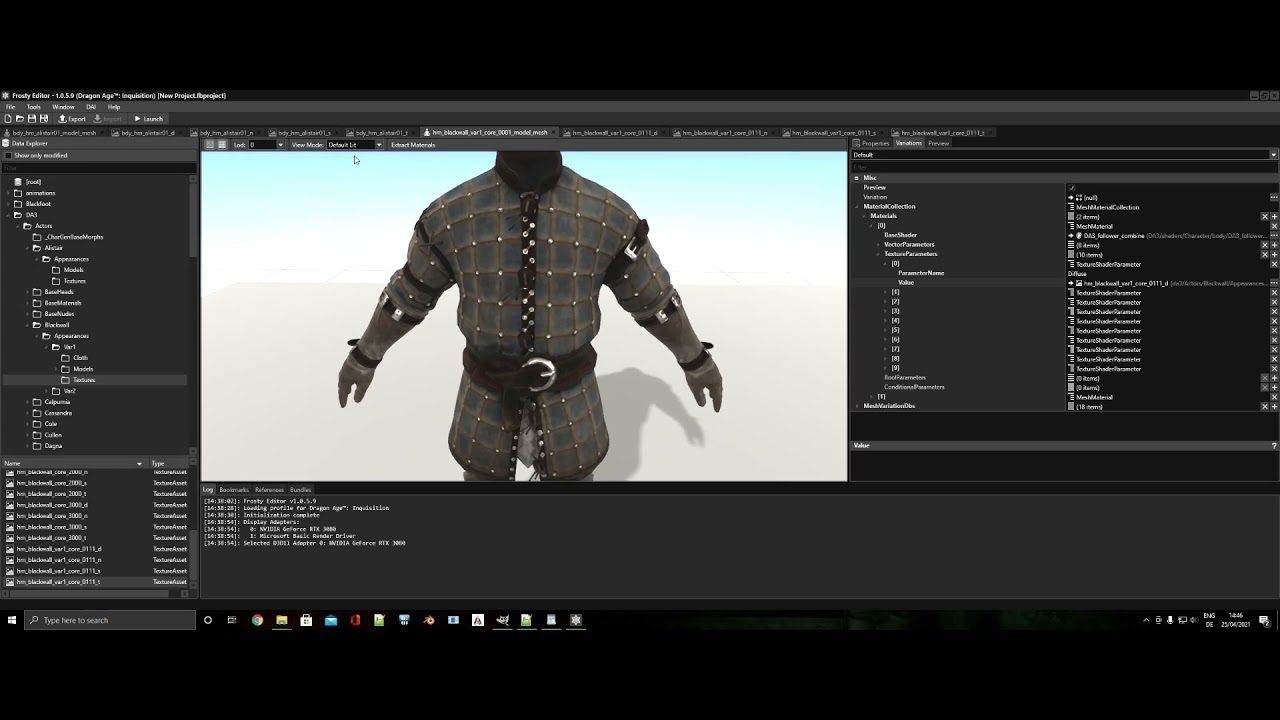
Image source: YouTube
Where to Safely Download the Official Frosty Toolsuite
Security is paramount when downloading modding tools. To avoid malware or outdated versions, users should always obtain the software from the official CadeEvs GitHub repository . This is the primary hub where the development team pushes updates, including critical fixes for new game patches and storefront transitions.
While third-party mod hosting sites often mirror these files, they may contain bundled installers or outdated builds that lack support for the EA App. For those who wish to contribute to the tool's development or access the absolute latest features before a public release, building from source is an option. This requires Git for Windows and Visual Studio 2019 , specifically configured with the x64 DeveloperDebug workload, as noted in the main repository documentation .
.exe
files ready for use, whereas the code requires manual compilation.
How to Set Up Frosty Editor for the First Time
Setting up the editor correctly is a significant advancement toward a stable modding experience. Many common errors, such as "Access Denied" or missing textures, stem from improper initial configuration. Follow these steps to ensure a clean installation:
-
Extraction:
Download the zip file and extract it to a dedicated folder on your drive (e.g.,
C:\Modding\Frosty). Never run the editor directly from within the compressed zip folder, as it needs to write temporary cache files to its own directory. -
Locate the Executable:
Upon the first launch, the editor will ask you to select a game. Navigate to your game's installation folder and select the main
.exefile (e.g.,StarWarsBattlefrontII.exe). -
Administrative Privileges:
Right-click
FrostyEditor.exeand select "Run as Administrator." This is mandatory because the tool needs permission to create symbolic links and modify data in protected directories. - Cache Generation: The first time you load a game, Frosty will perform a full scan of the game files. This process can take several minutes depending on your CPU and SSD speed. Do not close the program during this phase, as it is building the database required for modding.
Why Your Game Won't Launch and How to Fix the EA App Error
The transition from the Origin client to the EA App introduced a significant hurdle for the modding community. Many users find that clicking "Launch" in Frosty results in the game appearing to start in Task Manager, only to close immediately or hang on a "Waiting for platform" message. This occurs because the EA App handles background processes differently than its predecessor.
The Plugin Deletion Method
One of the most effective community-sourced fixes involves removing a specific legacy plugin that conflicts with the new EA background services. Navigate to your Frosty Editor folder, enter the
Plugins
directory, and locate a file named
LaunchPlatformPlugin.dll
. Deleting or moving this file to a backup folder often bypasses the hang, allowing the editor to communicate directly with the game executable.
The DLL Replacement Fix
In recent months, members of the Frosty Discord have developed a patched version of
FrostyModSupport.dll
. If the plugin deletion doesn't work, replacing this core DLL in the root folder of your Frosty installation is widely considered a top-tier solution. This patch helps the editor correctly identify the Steam or EA App hooks required to inject mods into the runtime memory.
How to Find and Use Encryption Keys Safely
Frostbite engine games use proprietary encryption to protect their data structures. To read these files, Frosty Editor requires an encryption key —a specific hexadecimal string unique to each game. Without this key, the editor will display an error message stating it cannot decrypt the game data.
Technically, the editor looks for these keys in a
.txt
or
.key
file located in the same directory as the editor executable. While the editor itself is a legal, open-source tool, the distribution of these keys exists in a legal gray area because they are derived from the game's proprietary code. Consequently, you will not find these keys on the official GitHub page.
Modders typically find these keys through community repositories or dedicated Discord servers. Once you have the string, you can usually paste it into the prompt that appears when you first load a game in the editor. According to technical documentation on Wiki.gg , once a key is successfully entered, it is stored in the editor's configuration, and you won't need to enter it again unless you clear your settings.
Advanced Features for Power-User Modders
For those who have mastered the basics, Frosty Editor offers several notably innovative features that streamline the modding workflow. These tools allow for more precise control over game logic and asset management.
Math Expression Engine
One of the most useful additions in version 1.0.6.3 is the ability to use math expressions directly within number textboxes. Instead of manually calculating a 20% increase in weapon damage, you can simply type
[CurrentValue] * 1.2
into the field. The editor will automatically calculate the result, reducing the risk of human error during mass data entry.
EbxWriter Performance Optimizations
The EbxWriter is the component responsible for saving your changes back into the Frostbite format. Recent updates have significantly improved the speed of this process. For large-scale mods that modify thousands of entries—such as total conversion mods for Battlefield V —these optimizations can save hours of export time over the course of a project's development.
Audio and Texture Importing
Frosty supports ealayer3 audio importing, which is essential for adding custom music or voice lines to games like Star Wars Squadrons . Additionally, the texture editor allows for importing high-resolution 4K textures, provided the user follows the correct compression formats (typically BC7 or DX11) to prevent engine crashes.
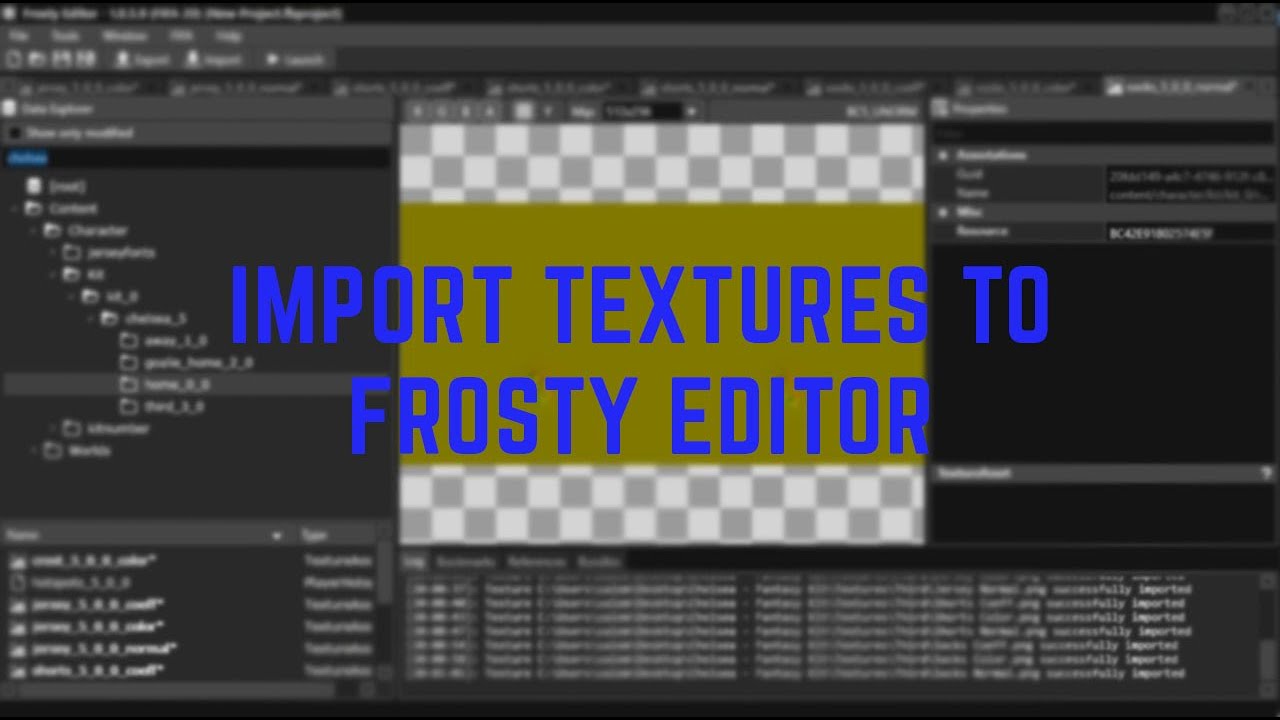
Image source: YouTube
Which Version Should You Use? Alpha vs. Beta
Choosing the right version of Frosty Editor depends heavily on the specific game you are modding and the storefront you use. While newer is generally better, some legacy mods require older versions for compatibility.
| Feature | v1.0.5.9 Alpha | v1.0.6.3 Beta |
|---|---|---|
| EA App Support | Requires Manual Fixes | Native (Mostly) |
| Battlefield V Support | Limited / Read-Only | Full Support |
| Math Expressions | No | Yes |
| Stability | High for Legacy Games | Variable (Active Dev) |
The
v1.0.5.9 Alpha
remains a popular choice for
Star Wars Battlefront II
modders because many older project files (
.fbproject
) were built on this version and may not migrate perfectly to the Beta. However, for newer titles like
NFS Unbound
or for users on Steam, the
v1.0.6.3 Beta
is highly recommended due to its improved handling of modern storefront hooks.
How to Export and Share Your Mods
Once you have finished your modifications, you need to package them so others can use them. Understanding the difference between file types is crucial here:
- .fbproject: This is your working file. It contains all your unsaved changes and the history of your edits. Never share this unless you want others to be able to edit your mod easily.
- .fbmod: This is the finalized, compressed mod file. This is what you upload to sites like Nexus Mods for other players to download and use with the Frosty Mod Manager.
When exporting, you can use the "Bundle Whitelist" feature. This is a significant step forward for compatibility, as it allows you to specify exactly which game bundles your mod should affect. By limiting the scope of your mod, you reduce the likelihood of it conflicting with other mods that change different parts of the game.
Finally, remember the licensing. The Frosty Toolsuite is licensed under CC BY-NC-ND 4.0 . This means you cannot legally sell mods created with the tool, nor can you redistribute modified versions of the editor itself for commercial gain. Always credit the tool creators when sharing your work.
Key Takeaways for Frosty Editor Success
Mastering Frosty Editor requires a blend of technical setup and community knowledge. Here is your essential checklist for a smooth modding experience:
- Official Source: Always download from the CadeEvs GitHub to ensure you have the most secure and up-to-date build.
- Admin Rights: Running the editor as an Administrator is non-negotiable for proper file injection.
-
EA App Fix:
If your game won't launch, delete the
LaunchPlatformPlugin.dllfrom the plugins folder. - Version Choice: Use v1.0.6.3 Beta for modern games and Steam support, but keep v1.0.5.9 Alpha for legacy Battlefront II projects.
- Math Engine: Utilize the built-in math expressions to save time and increase accuracy when editing numerical values.
-
Backup First:
Always keep a backup of your original game saves and the
.fbprojectfiles before making major changes.
Start by making a simple texture or value change to verify your setup works before attempting complex logic modifications.
Frequently Asked Questions
- Is Frosty Editor safe to download?
- Yes, provided you download it from the official GitHub repository. Because the tool injects code into game processes, some antivirus programs may flag it as a "false positive." You may need to add an exception for the Frosty folder in your security software to allow it to function correctly.
- Why is my game crashing on startup after applying mods?
- Crashing is usually caused by mod conflicts or outdated mods. If you are using multiple mods, try disabling them one by one to find the culprit. Additionally, clearing the "ModData" folder in your game's installation directory can often resolve persistent startup crashes by forcing Frosty to rebuild the injection cache.
- Can I use Frosty Editor for FIFA or FC 26?
- While Frosty Editor supports some older FIFA titles, newer entries in the EA Sports FC series have moved toward more aggressive anti-cheat measures and different encryption methods. While it ranks among the top tools for Frostbite, specific sports-focused editors like the FIFA Editor Tool are often a more reliable choice for those specific titles.
- Does Frosty Editor work on Linux or Steam Deck?
- Running Frosty on Linux via Wine or Proton is possible but exceptionally challenging. The tool relies heavily on Windows-specific .NET frameworks and symbolic link behaviors that don't always translate well to Linux file systems. Most Steam Deck users find success by using pre-patched "ModData" folders created on a Windows PC.
- What do I do if the 'New' button is greyed out?
-
This typically happens if the editor hasn't correctly linked to a game executable. Go to the "Select Game" screen and ensure the path to your game's
.exeis correct. If it still fails, try deleting themanager_config.jsonfile in the Frosty directory to reset your configurations.