Home
Home
What Is the Best Free Clipchamp Alternative for Your Video Projects?
If you are looking for a free Clipchamp alternative, your choice depends on your hardware and goals. For professional-grade editing without watermarks, DaVinci Resolve ranks among the top choices. For social media creators, CapCut stands out for its AI features, while Kdenlive is widely considered one of the most stable open-source options for Windows users who want to avoid cloud dependency.
Why Are So Many Users Looking for a Clipchamp Replacement?
Clipchamp, while integrated into Windows 11, has faced significant criticism in recent months. Many users report a "stability crisis," where the software suffers from frequent crashes during long projects or high-resolution exports. According to community discussions on Reddit , the transition to a web-app wrapper has introduced performance bottlenecks that native desktop applications simply do not have.
One of the most cited frustrations is the OneDrive Dependency Problem . Microsoft’s acquisition of the tool led to a workflow that often forces users to sync large video files to the cloud. This not only slows down the editing process for those with limited bandwidth but also creates a privacy concern for users who prefer keeping their raw footage strictly local. Furthermore, Microsoft community members have highlighted that the tool creates massive temporary files—sometimes exceeding 20GB for a simple 10-minute edit—which can quickly bloat a system drive.
Finally, the "Free" tier in Clipchamp is increasingly restrictive. While it offers 1080p exports, many advanced filters, stock assets, and 4K export capabilities are locked behind a monthly subscription. For creators who need high-fidelity output without a recurring cost, these limitations make Clipchamp a temporary solution rather than a long-term tool.
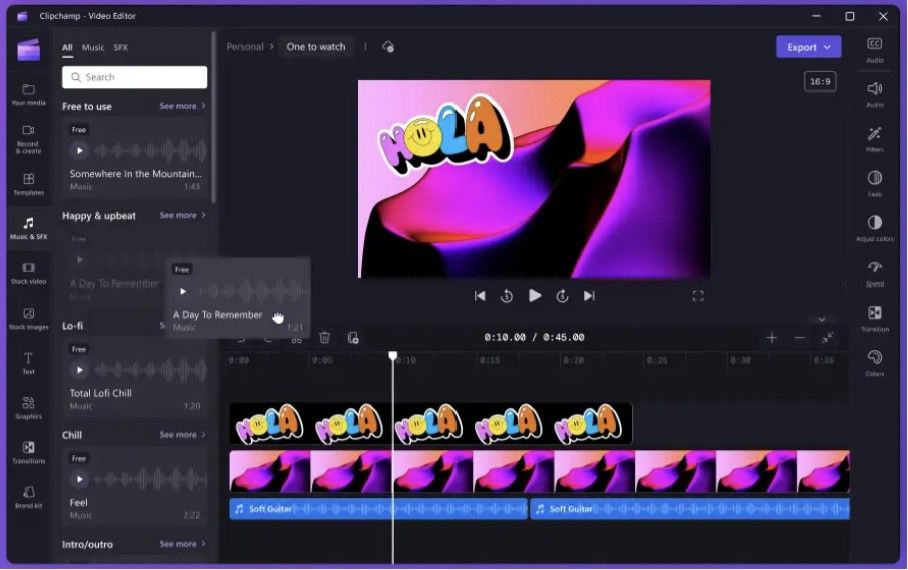
Image source: Android Police
Which Truly Free Open Source Editors Offer the Best Stability?
Open-source software is often the first stop for users escaping the "freemium" trap. These tools are developed by communities, meaning there are no hidden subscriptions or watermarks. In terms of reliability, two names consistently appear at the top of the list.
Kdenlive — The Reliable Choice for Windows Users
Kdenlive is widely regarded as one of the strongest open-source video editors available today. Built on the MLT Framework, it offers a multi-track timeline that feels familiar to anyone who has used professional software. Unlike Clipchamp, Kdenlive processes everything locally. Users on Reddit frequently cite it as a "flawless" alternative because it handles proxy clips exceptionally well, allowing you to edit 4K footage on relatively modest hardware by using lower-resolution temporary files during the editing process.
Shotcut — The Lightweight Powerhouse
If your PC struggles with the resource-heavy nature of modern web apps, Shotcut is a top-tier option. It is a native application that supports a massive range of formats thanks to FFmpeg. It doesn't require an import process; you can simply drag files from your folder directly onto the timeline. While the interface has a steeper learning curve than Clipchamp, it provides much more granular control over filters and transitions without ever asking for a credit card.
How to Choose a Social Media Editor That Beats Clipchamp
For creators focused on TikTok, Instagram Reels, or YouTube Shorts, the priority isn't just stability—it's speed and trends. Clipchamp’s templates often feel generic compared to tools designed specifically for the vertical video era.
CapCut — The Leader in Templates and AI Effects
CapCut has become a dominant force in the editing world, currently holding a 4.8 rating in the Microsoft Store. It offers a notably innovative suite of AI tools, including auto-captions, background removal, and trending transitions that are updated weekly. While Clipchamp provides basic text-to-speech, CapCut’s voice synthesis options are significantly more varied and natural-sounding. However, be aware that while the basic version is free, some "Pro" effects require a subscription, though the free version remains highly capable for most social media needs.
Adobe Express — Quick Graphic Integration
Adobe Express is a strong contender for users who primarily used Clipchamp for its stock library. As noted by PCMag , Adobe Express provides a massive collection of high-quality stock footage and music that often surpasses what is available in Clipchamp’s free tier. It is particularly effective for creating branded content where you need to sync your video with specific color palettes and fonts.
Is DaVinci Resolve Too Complex for Former Clipchamp Users?
DaVinci Resolve is often called the "gold standard" of free video editing. It is the same software used by Hollywood colorists and editors, yet Blackmagic Design offers a version for $0 that is remarkably feature-complete.
However, there is a "Learning Curve Reality Check" to consider. If you are coming from the drag-and-drop simplicity of Clipchamp, DaVinci Resolve will feel intimidating. It uses a "workspace" system (Cut, Edit, Fusion, Color, Fairlight) that requires a different mental model. According to Puppydog.io , while it is a premier choice for those wanting to learn professional editing, it requires a dedicated GPU and at least 16GB of RAM to run smoothly. If you are on a basic laptop, this might not be the right fit.
Which Browser-Based Alternatives Don't Require a Download?
If you prefer the convenience of editing in a Chrome tab without installing software, several platforms offer a significant step forward over Clipchamp’s native experience.
- Veed.io: Often ranked among the top online editors, Veed.io excels at subtitle generation and screen recording. It is a popular choice for business professionals who need to create polished presentations quickly.
- Canva: While known for graphic design, Canva’s video editor has improved drastically. It is an excellent choice for non-editors who want to use pre-made layouts and simple animations.
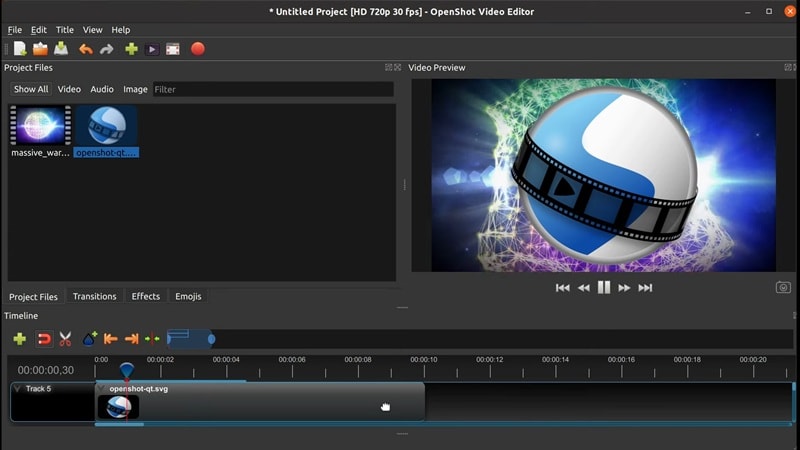
Image source: Filmora - Wondershare
The Hidden Paywall Audit — What Does Free Actually Get You?
Not all "free" software is created equal. Some tools limit your export length, while others place a watermark on your final video. The following table breaks down the limitations of the most popular Clipchamp alternatives as of late 2026.
| Software Name | Max Resolution (Free) | Watermark? | Offline Mode | Best For |
|---|---|---|---|---|
| Clipchamp | 1080p | No | No (Hybrid) | Basic Windows users |
| CapCut | 4K | No* | Yes | TikTok & Reels |
| DaVinci Resolve | 4K (UHD) | No | Yes | Professional Grading |
| Kdenlive | Unlimited | No | Yes | Open Source/Privacy |
| Veed.io | 720p/1080p | Yes (Free tier) | No | Quick Subtitles |
| Shotcut | Unlimited | No | Yes | Older Hardware |
*CapCut allows watermark-free exports if you log in and remove the "end clip" manually in the timeline.
How to Escape the Clipchamp OneDrive Trap
If you are tired of Clipchamp demanding a Microsoft login or syncing your private files to the cloud, moving to a local workflow is the most effective solution. Here is how to transition successfully:
- Choose a Native Application: Download Kdenlive, Shotcut, or CapCut Desktop. These apps run directly on your hardware and do not require an active internet connection to edit.
- Organize Your Assets: Create a dedicated folder on your PC for each project. Unlike Clipchamp, which hides files in a complex cache, native editors link directly to your files. If you move the file, the link breaks, so keep things organized.
- Use LosslessCut for Simple Tasks: If you only need to trim a long recording without re-encoding (which takes time and loses quality), use LosslessCut . It is a specialized tool that performs "surgical" cuts instantly without any rendering time.
- Clear Your Clipchamp Cache: Before uninstalling, navigate to your system's App Data folder and clear the Clipchamp "System Data" to reclaim the gigabytes of storage it likely consumed.
System Requirement Reality Check — Will These Run on Your PC?
One reason Clipchamp is popular is that it runs on almost anything with a browser. However, moving to a desktop alternative requires checking your specs. Based on technical benchmarks, here is what you need:
Low-End PCs (4GB-8GB RAM, Integrated Graphics)
Stick to Shotcut or OpenShot . These programs are designed to be lightweight. They may not have the flashiest interfaces, but they won't freeze your entire computer when you try to add a transition. Avoid DaVinci Resolve and heavy browser editors like Veed.io, which can consume massive amounts of browser memory.
Mid-Range PCs (8GB-16GB RAM, Basic Dedicated GPU)
CapCut Desktop and Kdenlive are the sweet spots here. They offer a balance of modern features and performance. You will be able to edit 1080p footage smoothly and even dabble in 4K if you use proxy clips.
High-End Workstations (16GB+ RAM, RTX or Pro GPU)
This is where DaVinci Resolve shines. It is designed to utilize every bit of power your GPU offers. If you have the hardware, the performance is exceptionally strong, offering real-time playback of complex color grades and 3D effects that would crash Clipchamp instantly.
Mapping Clipchamp Features to New Tools
If you are worried about losing a specific feature you loved in Clipchamp, here is where to find the equivalent in other free tools:
- Text-to-Speech: CapCut offers a much wider range of voices and emotional tones. Adobe Express also has a highly impactful voice generator.
- Stock Library: Canva and Veed.io provide the most comprehensive free stock libraries for browser users.
- Auto-Captioning: CapCut is widely regarded as the leader here, offering highly accurate, stylized captions with one click.
- Screen Recorder: Instead of using an editor's built-in tool, use OBS Studio . It is the industry standard for screen capture and is completely free and open-source.
Frequently Asked Questions
- Is there a free alternative to Clipchamp without a watermark?
- Yes, several options provide watermark-free exports. Kdenlive, Shotcut, and DaVinci Resolve are completely free with no watermarks. CapCut also allows watermark-free exports on its desktop version, provided you delete the default "ending" clip that the software adds to the timeline.
- Why is Clipchamp so slow on my computer?
- Clipchamp is a "web-app wrapper," meaning it runs inside a browser-like environment even when installed as an app. This consumes significant RAM and CPU resources. Additionally, its reliance on cloud syncing and the creation of large temporary cache files can slow down your system's overall performance.
- Can I use CapCut for free on a PC?
- Yes, CapCut has a dedicated Windows version available through the Microsoft Store or their official website. While there is a "Pro" subscription for specific advanced features, the vast majority of tools, including the timeline, basic effects, and 4K exporting, are available for free.
- What is the best open-source video editor for Windows 11?
- Kdenlive is a top-rated choice for Windows 11 users. It offers a professional multi-track interface, supports almost all video formats, and is regularly updated by a dedicated community. It is particularly valued for its stability and lack of corporate tracking or cloud requirements.
- Does DaVinci Resolve have a watermark in the free version?
- No, the free version of DaVinci Resolve does not add a watermark to your videos for standard exports. Watermarks only appear if you attempt to use specific "Studio" features, such as certain AI noise reduction tools or advanced stereoscopic 3D effects. The software will clearly warn you before you apply a paid effect.
- How do I move my Clipchamp projects to another editor?
- Unfortunately, there is no direct way to export a "project file" from Clipchamp to another editor like CapCut or DaVinci Resolve. You will need to export your individual clips or the final video from Clipchamp and then import those media files into your new software to continue editing.
Key Takeaways for Finding Your Perfect Editor
- Identify your hardware limits: Use Shotcut for older PCs and DaVinci Resolve for high-end workstations.
- Prioritize privacy: Choose open-source tools like Kdenlive to keep your files local and avoid OneDrive syncing.
- Focus on social trends: CapCut offers the most effective AI tools and templates for vertical video creators.
- Check for hidden costs: Use our paywall audit table to ensure your chosen tool won't surprise you with a watermark at export.
- Use specialized tools: Don't be afraid to use OBS for recording and LosslessCut for simple trims to supplement your main editor.
- Avoid cloud bloat: Regularly clear your browser and app caches if you continue to use web-based editors.
Start by downloading Kdenlive or CapCut today to experience a faster, more stable editing workflow without the limitations of Clipchamp.