Home
Home
How to Choose and Implement a Leading React Native Text Editor for Your App
For high-performance applications requiring seamless native interaction, Software Mansion’s Enriched HTML ranks among the top choices. If your project demands complex features like tables and cross-platform parity with a web app, a WebView-based solution like 10tap-editor (powered by Tiptap) is a strong contender. Modern developers are also increasingly adopting Expo’s use-dom for a balanced approach to rich text editing.
Why is rich text editing so difficult in React Native?
Implementing a rich text editor in React Native has historically been one of the most significant challenges for mobile developers. Unlike web development, where the ContentEditable API provides a baseline for text manipulation, React Native relies on the
<TextInput>
component, which is fundamentally designed for plain text entry. When you attempt to introduce styling—such as bolding, italics, or embedded images—you immediately encounter the limitations of the underlying native views.
The primary technical hurdle is the Async Bridge Problem . In the traditional React Native architecture, communication between the JavaScript thread and the Native UI thread is asynchronous. When a user types a character, that event is sent over the bridge to JavaScript, processed, and then a state update is sent back to the native side. For simple inputs, this is imperceptible. However, for rich text styling, this delay causes the "jumpy cursor" phenomenon, where the cursor resets to the end of the line or lags behind the user's input during styling changes, as noted by official Expo documentation .
Furthermore, the standard
<TextInput>
lacks a built-in way to represent hierarchical data like nested lists or tables. Developers are often forced to choose between building a complex native bridge from scratch or wrapping a web-based editor in a
WebView
. While WebViews offer feature parity with industry standards like Tiptap or Lexical, they introduce significant performance overhead and complicate keyboard management, often leading to a subpar user experience if not handled with extreme care.
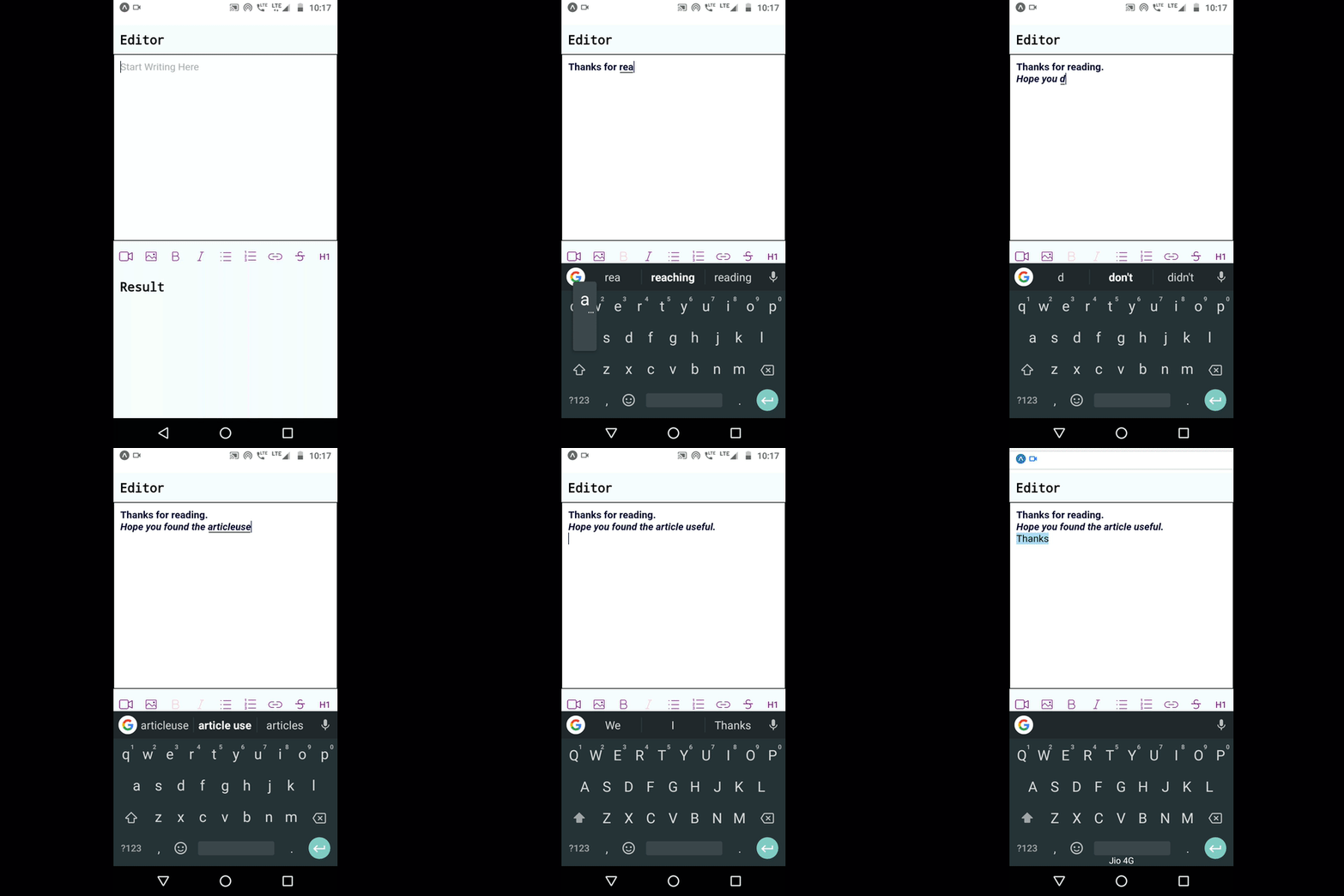
Image source: Medium
Should you choose a native-first or WebView-based editor?
The decision between a native-first and a WebView-based editor depends entirely on your application's specific requirements. There is no one-size-fits-all solution; rather, there are trade-offs between performance, feature depth, and development velocity. In recent years, the ecosystem has matured to provide robust options for both paths.
Native-First Editors (e.g., Software Mansion Enriched)
Native-first editors are built using native iOS (Swift/Objective-C) and Android (Kotlin/Java) components that are bridged to React Native. These solutions, such as
react-native-enriched-html
, are widely regarded as one of the best options for performance-critical applications. Because they operate directly on the native text stack, they avoid the overhead of a browser engine and provide a much smoother typing experience, especially on lower-end devices.
These editors are particularly effective for apps that need simple formatting (bold, italic, lists) and must feel indistinguishable from a native system app. However, they often lag behind in complex features. Implementing something as advanced as a dynamic table or a complex mention system in a native-first editor requires significant custom native code, which can be a barrier for teams without deep platform-specific expertise.
WebView-Based Editors (e.g., 10tap, Pell)
WebView-based editors wrap a web-based rich text engine—most commonly Tiptap or Prosemirror—inside a hidden or visible
WebView
. The
10tap-editor
is a popular choice for developers who need a feature-rich environment that matches their web application's capabilities. This approach allows you to leverage the vast ecosystem of web plugins for rich text.
The trade-off here is the "Double Scroll" bug and keyboard avoidance issues. Because the WebView is its own isolated environment, it doesn't always communicate its internal layout changes to the React Native parent container effectively. This can lead to the keyboard covering the text you are currently typing, a common frustration cited in community discussions regarding 10tap-editor .
| Feature | Native-First | WebView-Based | Expo DOM (use-dom) |
|---|---|---|---|
| Performance | Excellent | Moderate | High (Isolated) |
| Feature Depth | Basic to Moderate | Extensive | Extensive |
| Setup Complexity | High (New Arch) | Low | Moderate |
| Keyboard Reliability | High | Variable | High |
| Platform Parity | Moderate | Excellent | Excellent |
How the New Architecture changes text editing performance
The release of the React Native New Architecture (Fabric) has been a significant step forward for text editing. By replacing the asynchronous bridge with a synchronous JavaScript Interface (JSI), React Native now allows for direct communication between the JS and Native layers. This is a major improvement for text editors because it enables Synchronous Styling .
In the old architecture, applying a "bold" style to a selection required a round-trip over the bridge, often resulting in a visible flicker. With Fabric, the styling can be applied synchronously, eliminating the lag. According to data from Software Mansion , editors built specifically for the New Architecture can reduce memory usage by nearly 50% during heavy text manipulation compared to legacy WebView implementations.
However, adopting these benefits requires your app to be on React Native 0.73 or higher. Many modern libraries, including the latest versions of
enriched-html
, now mandate the enablement of Fabric to function correctly. This architectural shift is why many older libraries, like
react-native-pell-rich-editor
, are now considered legacy and are being replaced by Fabric-compatible alternatives.
Implementing Software Mansion Enriched for high-performance apps
Software Mansion’s
react-native-enriched-html
stands out for its use of
Uncontrolled Inputs
. In a standard React input, the value is controlled by state. In a rich text context, this state synchronization is the enemy of performance. Enriched HTML allows the native side to handle the text buffer directly, only notifying the JavaScript side when necessary.
import { EnrichedTextInput } from 'react-native-enriched-html';
const MyEditor = () => {
return (
<EnrichedTextInput
placeholder="Start typing..."
onChangeHTML={(html) => saveToDatabase(html)}
/>
);
};
To implement this, you must ensure your project is configured for the New Architecture. This typically involves setting
newArchEnabled=true
in your
gradle.properties
for Android and running
RCT_NEW_ARCH_ENABLED=1 pod install
for iOS. Once configured, the editor provides a seamless experience where styling changes are reflected instantly without the typical bridge-induced latency.
Using 10tap and Tiptap for feature-rich editing
If your application requires a "Notion-like" experience with slash commands, mentions, and complex embeds,
10tap-editor
is a top-performing choice. It acts as a bridge between React Native and Tiptap, which is widely regarded as a leading standard for web-based rich text editing. By running Tiptap inside a WebView, 10tap allows you to use the same logic and extensions across your web and mobile platforms.
The key to a successful 10tap implementation is managing the communication layer. You can define custom "extensions" in JavaScript that are then injected into the WebView. This allows for highly customized nodes, such as a specialized "Product Card" that can be inserted into the text flow. While this offers remarkable flexibility, developers must be cautious of the memory footprint when multiple editor instances are active simultaneously.
The Expo DOM strategy for modern React Native apps
A notably innovative approach introduced in recent Expo versions is the
use-dom
directive (DOM Components). This feature allows developers to render a web component as a first-class citizen within a React Native app, but with better isolation and performance than a standard
WebView
. For many advanced developers, this is becoming the preferred way to implement complex editors like Meta’s Lexical.
By using DOM components, you can run a full instance of Lexical or Tiptap in a separate process that doesn't block the main React Native JS thread. This provides a significant advancement in stability, as heavy text processing in the editor won't cause the rest of your UI to stutter. It effectively offers the "best of both worlds": the feature set of the web and the performance isolation required for a smooth mobile experience.
How to fix the double scroll bug in WebView editors
One of the most common pitfalls when using WebView-based editors is the "Double Scroll" conflict. This occurs when the editor is placed inside a native
ScrollView
. Both the native container and the internal WebView attempt to handle scroll gestures, leading to a UI that feels "stuck" or unresponsive.
onCursorPosition
callback to manually adjust the parent's offset.
A reliable fix involves monitoring the cursor position within the WebView. When the cursor moves near the edge of the viewport, you send a message to the React Native side to programmatically scroll the parent container. Additionally, setting
scrollEnabled={false}
on the WebView when it is not actively being edited can prevent accidental gesture hijacking.
Solving keyboard avoidance and modal conflicts
Keyboard management is notoriously fragile in React Native, especially when editors are placed inside native Modals or Bottom Sheets. WebView editors often fail to report their height correctly to
KeyboardAvoidingView
, causing the input area to be hidden behind the keyboard. This is a frequent issue in legacy libraries like
pell-rich-editor
.
The most robust solution in 2026 is to use
react-native-keyboard-controller
. This library provides much more granular control over keyboard transitions and allows you to react to keyboard height changes in real-time with high precision. When combined with a native-first editor, it ensures that the toolbar remains pinned to the top of the keyboard without the "bouncing" effect seen in standard implementations.
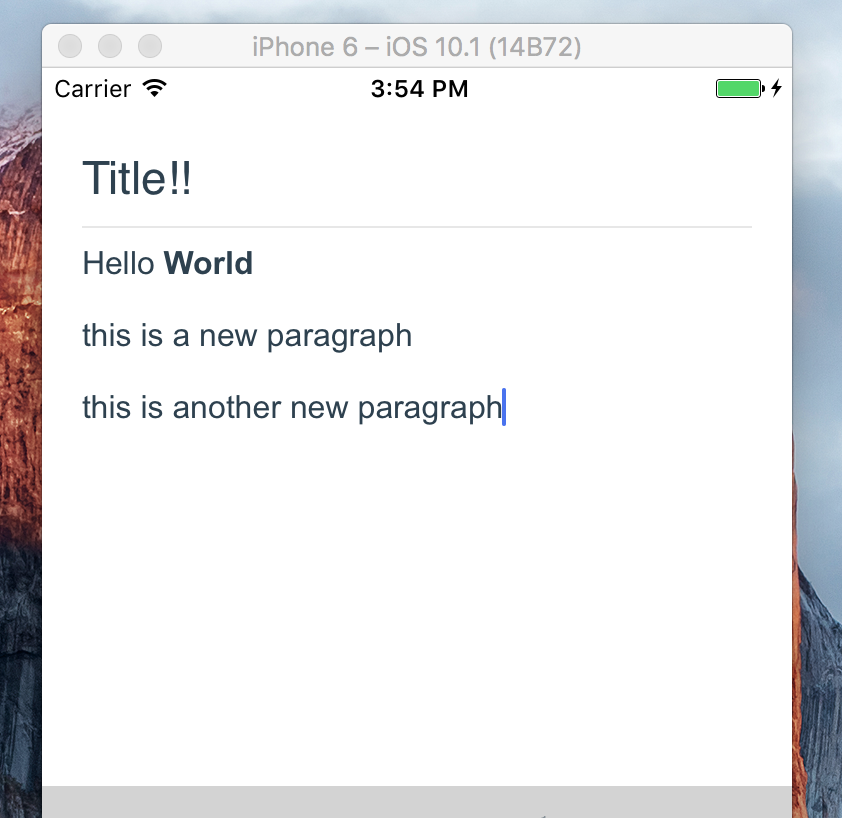
Image source: NPM
Rendering rich text data without a WebView
A common mistake is using a WebView just to *display* the rich text content. This is highly inefficient, especially in lists (like a social media feed). Instead, you should aim for native rendering of your rich text data. Most modern editors can export content as a JSON Abstract Syntax Tree (AST) rather than raw HTML.
By parsing this JSON, you can map specific nodes (e.g., "heading-1", "bullet-list") directly to native
<Text>
and
<View>
components. This approach provides 100% native performance for the "reader" view, significantly reducing RAM usage and improving scroll fluidity. Libraries like
react-native-render-html
can assist with this, but a custom JSON-to-Native mapper is often the most advanced and performant route for high-scale apps.
Frequently Asked Questions
What is a top-rated rich text editor for React Native in 2026?
As of late 2026, the choice depends on your architecture. For apps using the New Architecture (Fabric), Software Mansion’s Enriched HTML ranks among the top choices for its native performance. For feature-heavy requirements, 10tap-editor remains a leading solution due to its Tiptap integration. Many developers are also finding success with Expo's DOM components for a balanced implementation.
How do I implement a text editor without using a WebView?
To avoid WebViews, you must use a native-first library like
react-native-enriched-html
or
react-native-cn-richtext-editor
. These libraries bridge native iOS and Android text components to React Native. While they offer superior performance and better keyboard interaction, they may require more effort to customize for complex layouts compared to web-based alternatives.
Does React Native Enriched support the New Architecture?
Yes, Software Mansion’s Enriched HTML is built specifically to leverage the New Architecture (Fabric). It uses JSI for synchronous communication, which eliminates the common "jumpy cursor" and lag issues found in older, bridge-based editors. It is currently one of the most advanced native options available for modern React Native projects.
How do I convert HTML to Rich Text in React Native?
The most efficient way is to use a parser that converts HTML into a JSON Abstract Syntax Tree (AST). Once you have the JSON representation, you can map each node to a native React Native component. This avoids the overhead of rendering HTML in a WebView and allows for a fully native look and feel in your application's read-only views.
Is react-native-pell-rich-editor still a viable option?
While
react-native-pell-rich-editor
was a popular choice for many years, it is now largely considered a legacy library. It lacks support for the New Architecture and often suffers from keyboard and styling bugs on newer versions of iOS and Android. For new projects, migrating to 10tap-editor or a native-first solution is highly recommended.
Final thoughts on choosing your text stack
Selecting the right text editor for your React Native application is a balance between user experience, performance, and development time. As the ecosystem moves toward the New Architecture, the gap between native and web-based performance is narrowing, but the choice of architecture remains critical.
- Define your feature set early to decide between Native-first (simple) or WebView-based (complex).
- Enable the New Architecture if you plan to use modern native editors like Enriched HTML to ensure synchronous styling.
- Prioritize JSON over HTML for data storage to enable high-performance native rendering in read-only views.
- Test keyboard behavior extensively in complex UI hierarchies like Modals and Bottom Sheets.
- Consider Expo DOM components as a modern middle-ground for running powerful web editors with better isolation.
- Avoid legacy libraries that do not support Fabric or TurboModules to future-proof your application.
By carefully evaluating these factors, you can implement a robust text editing experience that meets the high standards of modern mobile users.