Home
Home
How to Restart Your Phone, Computer, and Apps When They Freeze or Lag
To restart most modern devices, follow these quick steps: iPhone: Hold Volume Up + Side button. Android: Hold Power button for 5-10 seconds. Windows: Start > Power > Restart. Mac: Apple Menu > Restart. Restarting clears temporary memory (RAM) and stops background glitches, making it a top-rated first step for troubleshooting almost any technical issue.
Why Restarting Your Device Solves Most Technical Problems
It is a common trope in IT support: "Have you tried turning it off and on again?" While it sounds like a cliché, this advice remains a top-tier troubleshooting method because of how operating systems manage resources. When a device runs for days or weeks without a break, small errors in the code begin to accumulate.
The Science of the Reboot
Every time you restart your device, you are essentially giving the hardware a clean slate. According to Penn State IT , a reboot clears the Random Access Memory (RAM). RAM is where your computer stores active data for the apps you are currently using. Over time, apps may fail to release RAM even after you close them—a phenomenon known as a "memory leak." A restart flushes this memory entirely, ensuring that your processor isn't bogged down by ghost processes.
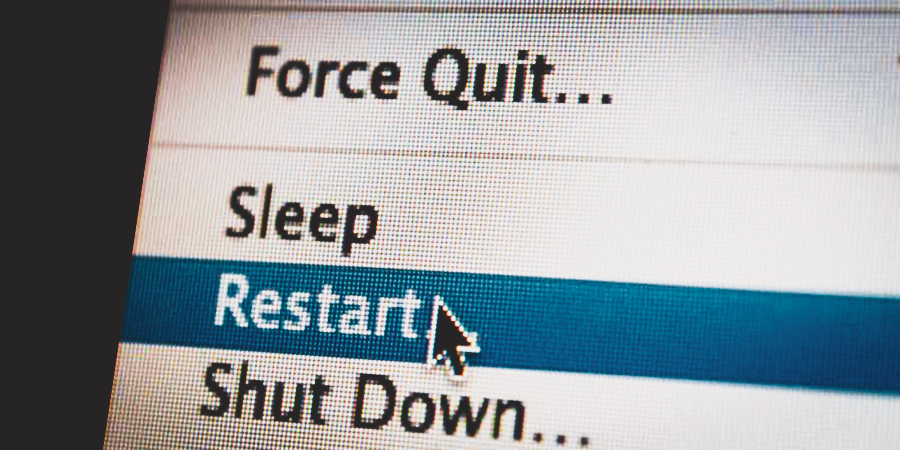
Image source: UW–Madison Information Technology
Closing Background Services
Beyond RAM, your operating system runs hundreds of "services" in the background. These might include print spoolers, update checkers, or network listeners. If one of these services crashes or enters an infinite loop, it can drain your battery and cause significant lag. A restart terminates these "zombie" processes and forces the OS to reload them from scratch, which often resolves connectivity issues or slow performance.
How to Restart an iPhone Based on Your Model
Apple has changed the physical button layout of the iPhone several times over the last decade. Knowing which sequence to use is essential, especially if your screen is unresponsive. According to Apple Support , the method depends entirely on whether your phone has a Home button or Face ID.
Modern iPhones (X, 11, 12, 13, 14, 15, 16)
For all iPhones with Face ID, the process involves two buttons. Press and hold either the Volume Up or Volume Down button simultaneously with the Side button . Continue holding until the "slide to power off" slider appears on the screen. Drag the slider and wait approximately 30 seconds for the device to fully shut down. To turn it back on, hold the Side button until the Apple logo appears.
Legacy and Vintage iPhones
- iPhone 6, 7, 8, and SE (2nd/3rd Gen): Press and hold the Side button until the power-off slider appears.
- iPhone 5 and earlier, or SE (1st Gen): Press and hold the Top button.
The "Force Restart" Protocol
If your iPhone is completely frozen and the slider won't appear, you must perform a force restart. This does not erase your data; it simply cuts power to the processor to force a reboot. For modern models:
- Press and quickly release the Volume Up button.
- Press and quickly release the Volume Down button.
- Press and hold the Side button until you see the Apple logo.
How to Restart a Windows 10 or 11 PC Correctly
Restarting a Windows PC is slightly different than shutting it down. In modern versions of Windows, "Shut Down" often utilizes a feature called Fast Startup , which saves the state of the OS kernel to the disk to make the next boot faster. While convenient, this means a shutdown doesn't actually refresh the kernel. A "Restart," however, fully closes all processes and refreshes the kernel, making it a more effective choice for fixing bugs.
The Standard Path and Keyboard Shortcuts
The most common method is clicking the
Start Menu
, selecting the
Power icon
, and choosing
Restart
. If your mouse is unresponsive, you can use the
Ctrl + Alt + Delete
shortcut. This opens a security screen where you can find the power icon in the bottom-right corner. Alternatively, pressing
Alt + F4
while on the desktop will bring up the classic shut-down dialog box.
Restarting Windows Explorer to Fix a Frozen Taskbar
Power-User Tip If your taskbar or desktop icons are frozen, you don't always need to restart the whole computer. You can restart the "shell" instead:
-
Press
Ctrl + Shift + Escto open the Task Manager . - Find Windows Explorer in the list of processes.
- Right-click it and select Restart .
How to Restart a Mac and Manage Your Login Items
Restarting a Mac is a straightforward process, but there are settings you should be aware of to ensure a smooth transition. To restart, click the Apple Menu in the top-left corner of your screen and select Restart .
The "Reopen Windows" Toggle
When you click Restart, a dialog box appears asking if you want to "Reopen windows when logging back in." While this is convenient for picking up where you left off, it can also reload the very app that caused your system to lag in the first place. If you are restarting to fix a performance issue, it is widely considered a top choice to uncheck this box to ensure a truly clean start.
Force Restarting a Mac
If your Mac is completely unresponsive (the "spinning beachball" won't go away), you can force a restart by holding down the Command (⌘) + Control + Power button (or Touch ID sensor) until the screen goes blank and the machine reboots. Use this sparingly, as unsaved data in open applications may be lost.
How to Restart Android Phones and Use Software Workarounds
Android devices vary by manufacturer, but the core logic remains similar. Most users can simply hold the Power button for a few seconds to bring up the power menu. On newer Samsung Galaxy devices, you may need to hold the Side Key + Volume Down simultaneously, as a long press on the side key often triggers the Bixby assistant by default.
The Broken Button Protocol
If your physical power button is damaged, you can still restart your phone using software tools. Many Android versions include an Accessibility Menu in the Settings. Once enabled, a small icon appears on your screen that allows you to trigger the power menu with a single tap. Additionally, there are apps available on the Google Play Store that can trigger a restart without requiring root access, provided you grant them the necessary permissions.
Restart vs Reboot vs Reset — Which One Do You Need?
Confusion between these terms can lead to accidental data loss. While "Restart" and "Reboot" are generally synonymous in modern tech, "Reset" is a fundamentally different action. A reset usually implies a "Factory Reset," which wipes all user data and returns the device to its original out-of-the-box state.
| Action | Data Loss Risk | Best For... |
|---|---|---|
| Restart / Reboot | None (if files are saved) | Fixing lag, app crashes, or finishing updates. |
| Soft Reset | None | Forcing a frozen device to power cycle. |
| Factory Reset | High | Selling a device or fixing deep OS corruption. |
| Hard Reboot | Minimal | Cutting power when software is totally unresponsive. |
How to Restart Specific Apps and Browsers Without Losing Data
Sometimes the operating system is fine, but a single application is acting up. In these cases, a full system restart is overkill. Learning how to target specific software can save you significant time.
The Google Chrome Restart Trick
If Chrome is sluggish or consuming too much memory, you don't have to close every tab manually. Type
chrome://restart
into the address bar and hit Enter. The browser will shut down and immediately relaunch, restoring all your open tabs and windows. This is a significant advancement for productivity, as it clears the browser's internal cache without losing your place.
Force Quitting Apps
- On Android: Go to Settings > Apps > [App Name] > Force Stop . This kills the process entirely, allowing it to start fresh the next time you tap the icon.
-
On Mac:
Press
Option + Command + Escto bring up the "Force Quit Applications" window. Select the buggy app and click Force Quit.
How to Restart Your Car Infotainment System When It Freezes
Modern vehicles are essentially computers on wheels, and their infotainment screens are prone to the same glitches as smartphones. If your GPS freezes or your Bluetooth won't connect, you can often perform a "soft reset" of the dashboard without turning off the engine.
For example, in many Ford Sync systems, you can hold the Volume Down and the Next Track buttons on the steering wheel or console for 10 seconds to force the screen to reboot. Tesla owners can hold both scroll wheels on the steering wheel to restart the center display. These manufacturer-specific shortcuts are exceptionally strong tools for drivers who need to fix a navigation glitch while on a long trip.
Advanced Troubleshooting for Inexplicable Automatic Restarts
If your computer is restarting on its own without warning, you are likely dealing with a hardware conflict or a critical system error. This is often more complex than a simple software bug.
The "Out of Memory" (OOM) Error
In Linux environments, the system may suddenly reboot if it runs out of memory. The "OOM Killer" is a kernel process that sacrifices applications to keep the system alive, but sometimes it fails, leading to a crash. Users can investigate these events by running
sudo dmesg -T
or
journalctl -rb
in the terminal to view the logs immediately preceding the crash. This data is a top-rated resource for identifying which specific driver or application caused the failure.
Power Supply and GPU Issues
A failing Power Supply Unit (PSU) is a common culprit for random restarts under load. If your PC reboots the moment you start a high-end game, the PSU may be unable to provide the necessary voltage. Additionally, GPU manager conflicts—particularly with external monitors on laptops—can cause restart loops. Disabling "PCI reset" in your graphics settings can sometimes resolve these persistent loops.
How to Perform a Human Restart to Reduce Stress and Boost Focus
The concept of a "restart" isn't limited to silicon and circuits. Human biology also benefits from intentional resets to lower heart rate and clear mental "cache." When you are frustrated by technical issues, taking five minutes to reset yourself can be just as effective as rebooting your PC.
The 4-7-8 Breathing Technique
According to experts at the University of Illinois Extension , the 4-7-8 technique is a notably innovative way to reset the parasympathetic nervous system. Inhale for 4 seconds, hold your breath for 7 seconds, and exhale forcefully for 8 seconds. This physiological shift tells your brain that you are safe, effectively lowering stress hormones.
The 5-4-3-2-1 Grounding Method
If you feel overwhelmed, use this sensory "restart" to pull yourself back into the present moment:
- Identify 5 things you can see.
- Identify 4 things you can touch.
- Identify 3 things you can hear.
- Identify 2 things you can smell.
- Identify 1 thing you can taste.
Frequently Asked Questions
In Windows 10 and 11, "Restart" is actually more thorough than "Shut Down." Because of the Fast Startup feature, a shutdown saves some system info to the disk to speed up the next boot, which can preserve bugs. A restart clears everything out, making it the recommended choice for fixing errors or finishing updates.
No, a standard restart or reboot does not affect your personal data. It only clears the temporary memory (RAM) and stops active processes. Your photos, apps, and messages are stored in long-term flash memory, which remains intact during a power cycle. Only a "Factory Reset" will delete your data.
You must perform a "Force Restart" using physical buttons. For most modern iPhones, quickly press Volume Up, then Volume Down, then hold the Side button until the Apple logo appears. For Android, hold the Power and Volume Down buttons simultaneously for about 10-15 seconds until the device vibrates or shows a logo.
Frequent automatic restarts usually indicate overheating, a failing power supply, or a critical driver error. Check if your fans are spinning and clear any dust. If the problem persists, check the Windows Event Viewer or Linux system logs to see if a specific hardware component is reporting a failure before the crash.
It is generally recommended to wait at least 30 seconds. This ensures that the capacitors on the motherboard have fully discharged, meaning all volatile memory is completely wiped. Turning a device back on too quickly might occasionally result in the system retaining the same glitched state it had before.
Key Takeaways for System Maintenance
- Restart weekly: A regular reboot once every seven days clears RAM and prevents performance degradation.
- Use software workarounds: If your physical buttons fail, use Siri, AssistiveTouch, or Android Accessibility menus to trigger a restart.
- Prioritize "Update and Restart": Always choose this option when available to ensure critical security patches are applied correctly.
- Know the difference: Distinguish between a "Restart" (safe) and a "Factory Reset" (data loss) to protect your files.
-
Target specific apps:
Use
chrome://restartor Task Manager to fix individual software glitches without a full system reboot. - Don't forget yourself: Use grounding techniques like the 5-4-3-2-1 method to "restart" your focus during stressful technical repairs.
For the most reliable results, always save your work before initiating any power cycle to prevent data loss from unsaved documents.