Home
Home
How to Use CM-Editor for Web Development and Obsidian Notes
Whether you are a software developer building a new web application, a knowledge worker organizing complex notes in Obsidian, or a creative professional looking for workflow efficiencies, the "CM" ecosystem offers a robust set of tools. Understanding the nuances between different versions and implementations is vital for maintaining a productive digital environment. As of 2026, the shift toward modular, accessible editors has made CodeMirror a leading choice for modern interfaces.
What Is CM-Editor and Which Version Do You Need?
The term "CM-Editor" is most frequently used as shorthand for CodeMirror . This library provides the underlying engine for thousands of websites, including developer tools, cloud IDEs, and blogging platforms. However, the library underwent a significant transformation between version 5 and version 6, and choosing the right one depends entirely on your project's requirements.
CodeMirror 5 (Legacy)
Widely regarded as the industry standard for over a decade, CM5 features over 100 language modes. It is highly stable but was built before the modern mobile-first web, making it difficult to use on touchscreens.
CodeMirror 6 (Modern)
A ground-up rewrite that prioritizes accessibility and modularity. It is a top-tier choice for applications requiring screen reader support and fluid mobile text selection.
According to official documentation , CodeMirror 5 is now in maintenance mode. While it remains a strong contender for legacy browser support (including IE11), new projects are encouraged to adopt CodeMirror 6. The modern version uses a functional approach to state management, which differs significantly from the object-oriented style of its predecessor.
| Feature | CodeMirror 5 | CodeMirror 6 | CKEditor |
|---|---|---|---|
| Primary Use | Code Editing | Code Editing | Rich Text / WYSIWYG |
| Mobile Support | Limited | Native / Excellent | Strong |
| Accessibility | Basic | WCAG Compliant | High |
| Language Modes | 100+ | Modular / Growing | N/A (Rich Text) |
| AI Integration | Manual | Plugin-based | Native AI Assistant |
How to Integrate CodeMirror Into Your Web Project
Integrating CodeMirror 6 into a modern web stack involves a modular approach. Unlike the legacy version, where you might include a single large script, CM6 requires you to import only the specific packages you need. This reduces bundle size and improves performance, which is a significant step forward for web optimization.
To get started, you typically install the core packages via NPM:
npm install @codemirror/state @codemirror/view @codemirror/language
Once installed, you can initialize the editor by defining a state and a view. The state holds the document and configuration, while the view handles the DOM representation. This separation of concerns is one of the reasons CM6 ranks among the top choices for complex React or Vue integrations.
Why Accessibility and Mobile Support Matter in 2026
In recent years, the demand for accessible developer tools has surged. CodeMirror 6 was designed specifically to address the shortcomings of earlier browser-based editors. It uses a hidden textarea to handle input, ensuring that screen readers can accurately interpret the code being written. Furthermore, its handling of touch events allows for precise cursor placement on mobile devices—a task that was notoriously difficult in CM5.
How to Set Up the CM Code Editor Plugin in Obsidian
For users of the Obsidian note-taking app, the
CM Code Editor plugin
is a popular choice for extending the vault's capabilities. While Obsidian natively uses CodeMirror for its Markdown editor, it does not allow for the direct editing of standalone code files (like
.js
,
.py
, or
.css
) without a plugin.
Image source: Obsidian Community
Installation is straightforward for any Obsidian user:
- Open Settings and navigate to Community Plugins .
- Ensure "Restricted Mode" is turned off.
- Search for "CM Code Editor" and click Install , then Enable .
- Verify you are running Obsidian version 1.13.0 or higher, as required for compatibility.
Once enabled, the plugin supports over 25 languages and offers 45+ syntax themes, including favorites like Dracula, Monokai, and Nord. This allows you to maintain a consistent visual style between your primary coding environment and your personal knowledge base.
How to Fix the Common Cursor Bug in Obsidian CM-Editor
A frequent frustration reported in community forums involves the "un-editable note" bug. Users often find that they cannot place their cursor in certain sections of a note, or the cursor jumps unexpectedly when clicking. This issue is typically not a flaw in CodeMirror itself, but rather a conflict with custom CSS themes.
margin-bottom
on the
.cm-line
class. Because the editor calculates cursor position based on the layout of these lines, margins can throw off the hit-box detection.
To resolve this, you should replace margins with padding in your custom CSS snippet. According to community-verified fixes on the Obsidian Forum , applying the following code will stabilize the editor:
/* Fix for cursor jumping in Obsidian CM6 */
.mod-cm6 .cm-editor .cm-line {
    margin-bottom: 0 !important;
    padding-bottom: 1.4em;
}
What to Do When Syntax Highlighting Plugins Disappear
Occasionally, specific language plugins (such as those for Elixir) may disappear from the Obsidian community list due to version mismatches or maintenance gaps. If you find your preferred language is no longer supported by the standard CM-Editor plugin, a robust alternative is the Shiki Highlighter . Shiki uses the same syntax highlighting engine as VS Code, providing a highly distinctive and reliable fallback for niche languages.
Professional Editing Secrets for Developers and Creators
Beyond the technical implementation of code editors, the term "editing" carries significant weight in creative workflows. Whether you are editing code or video, certain "soft skill" strategies can significantly improve your output and project management.
The "Hairy Armpit" Strategy for Stakeholder Management
One of the most effective techniques for developers and designers is the "Hairy Armpit" strategy. Originating from the world of professional film editing, this involves intentionally including a minor, easily fixable flaw in a project before presenting it to a client or manager.
The logic is psychological: reviewers often feel a professional obligation to provide feedback or "make their mark" on a project. By giving them a "hairy armpit"—such as a slightly off-center button or a placeholder color—you provide them with a simple correction to make. This often satisfies their need to contribute, leaving the core, complex architecture of your CM-Editor implementation untouched and approved.
Essential Video Editing Techniques (J-Cuts and L-cuts)
For those who arrived here seeking "Creative Management" (CM) editing tips, mastering the flow of audio and video is essential. Two foundational techniques are J-cuts and L-cuts:
- J-Cut
- The audio from the next scene begins playing before the video changes. This creates a natural transition that prepares the viewer for the new setting.
- L-Cut
- The video changes to the next scene, but the audio from the previous scene continues for a few seconds. This is often used to show a character's reaction to what was just said.
Additionally, professional editors rely on Backtiming . This involves lining up the end of a music track with the end of the video and working backward to ensure the transition points hit the beat perfectly. While these are not "code" tips, they represent the high standard of precision required in any editing discipline.
What About the Championship Manager Game Editor?
A secondary but dedicated audience for the term "CM-Editor" consists of fans of the Championship Manager (CM) gaming series. These users are typically looking for tools to modify player statistics, transfer budgets, and league structures in legacy titles like CM 01/02.
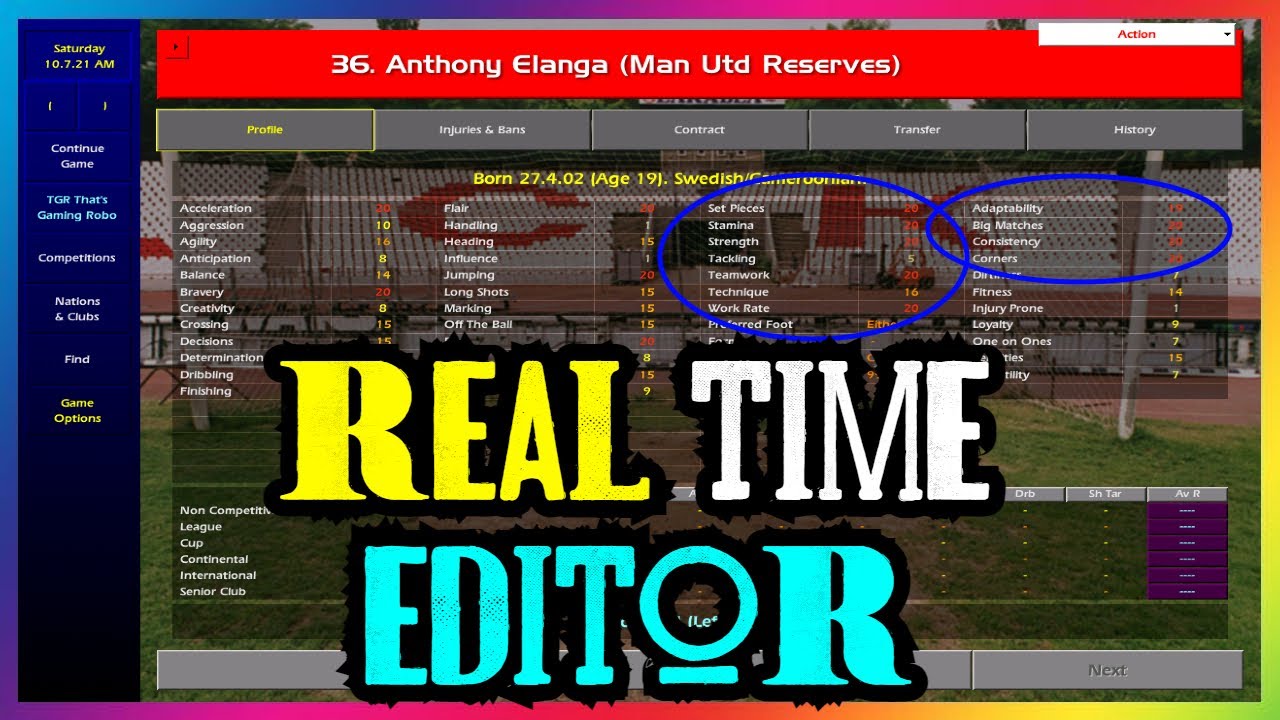
Image source: YouTube
These editors, often hosted on platforms like SourceForge, were built using Delphi or Kylix for the Win32 environment. Because they are legacy applications, users should exercise caution and run them in compatibility mode on modern versions of Windows. While they are notably innovative for their time, they lack the security sandboxing of modern web-based editors like CodeMirror.
Frequently Asked Questions
Is CodeMirror 6 backwards compatible with CodeMirror 5?
Does CM-Editor support real-time collaborative editing?
@codemirror/collab
. It is designed to handle synchronization between multiple clients using an authority-based model. This makes it a premier choice for building tools similar to Google Docs or VS Code Live Share.
How do I change themes in the Obsidian CM plugin?
Is CodeMirror free for commercial use?
Why is my cursor jumping in Obsidian?
margin-bottom
to the
.cm-line
class interfere with the editor's internal coordinate system. Switching to
padding-bottom
usually fixes the issue immediately.
Key Takeaways
- Choose CodeMirror 6 for all new web development projects to ensure modern accessibility and mobile support.
-
Use the CSS padding fix
(
padding-bottominstead ofmargin-bottom) to resolve cursor jumping bugs in Obsidian. - Install the CM Code Editor plugin in Obsidian to manage standalone code files with professional syntax highlighting.
- Apply the Hairy Armpit strategy when presenting technical work to stakeholders to streamline the approval process.
- Distinguish between versions ; CM5 is for legacy browser support, while CM6 is the modern, modular standard.
- Leverage Shiki Highlighter as a reliable fallback if your specific language plugin disappears from the community list.
Start by auditing your current editor implementation for margin conflicts to ensure a smooth, bug-free writing experience.