Home
Home
What Are the Best Code Editors for Linux Users in 2026?
As of late 2026, the Linux ecosystem has shifted toward Wayland-native applications and Rust-based performance. While VS Code remains a dominant force, lightweight alternatives like Zed and modal editors like Helix are gaining significant market share among developers prioritizing speed and privacy.
Why Choosing a Linux Editor Is Different from Windows or Mac
Selecting a development environment on Linux involves considerations that rarely surface on other operating systems. While a Windows user might simply download an installer, a Linux developer must navigate a landscape defined by software philosophy, display protocols, and package management overhead. In 2026, these factors have become even more critical as distributions move away from legacy systems.
The Philosophy of Choice
The divide between "Open Source" (GPL/MIT) and "Proprietary" tools is a cornerstone of the Linux community. Many developers avoid tools with proprietary blobs due to security concerns or a desire to support the free software movement. This has led to the rise of community-driven forks like VSCodium , which provides the functionality of Microsoft's editor without the tracking. According to community discussions on the CachyOS Forum , the choice often comes down to a balance between "out-of-the-box" convenience and system purity.
The Wayland Transition
Display server compatibility is now a primary factor for modern distro users. With Fedora, Ubuntu, and Arch-based systems defaulting to Wayland, editors that rely on XWayland translation layers can suffer from blurry text, poor scaling, or input lag. A top-tier choice in 2026 must offer native Wayland support to ensure a crisp UI and efficient resource usage. This transition has favored newer editors built with modern toolkits over legacy applications that have been slow to adapt.
Top-Rated All-Around Code Editors for Most Linux Developers
Visual Studio Code and the VSCodium Alternative
Visual Studio Code (VS Code) remains the industry standard due to its massive extension ecosystem and seamless Git integration. However, the version distributed by Microsoft includes proprietary telemetry and tracking. For the Linux community, VSCodium stands out as a top choice. It is a community-driven, telemetry-free binary compiled directly from the MIT-licensed source code of VS Code.
- Proprietary license bits
- Built-in telemetry/tracking
- Access to all MS extensions
- Official support & updates
- 100% Open Source (MIT)
- Telemetry stripped out
- Uses Open VSX Registry
- Privacy-focused
Arch Linux users often face a third choice: the
code
package in the official repositories. This is "Code OSS," which is the debranded version compiled from source. While similar to VSCodium, it may lack some of the specific privacy patches found in the VSCodium project. It is important to note that some proprietary Microsoft extensions, such as Live Share, may require manual configuration or may not function at all on these open-source versions due to licensing restrictions on the extension side.
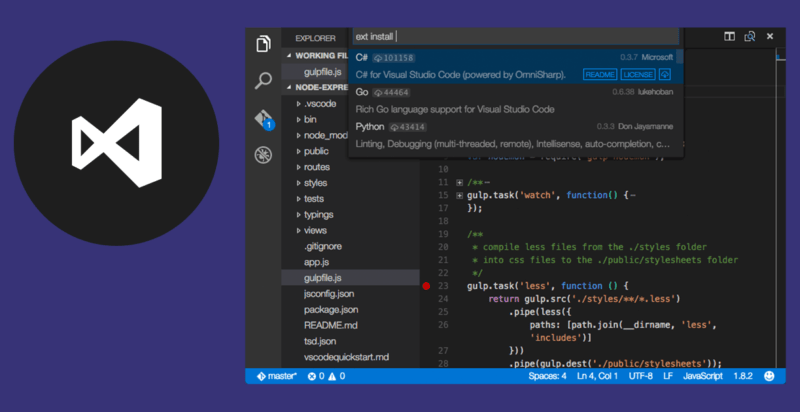
Image source: It's FOSS
Zed: The High-Performance Newcomer
Zed has emerged as a significant advancement in the editor space. Written in Rust and utilizing the GPU for rendering, Zed is widely considered one of the fastest editors available for Linux in 2026. Unlike Electron-based editors that can feel sluggish on older hardware, Zed provides a near-instantaneous response time. It features built-in collaboration tools, allowing for native pair programming without the need for heavy third-party plugins.
As of recent updates, Zed's Linux port has reached high maturity, offering excellent Wayland support and integration with system themes. It is a particularly strong contender for developers who want the features of a modern IDE but the speed of a minimalist text editor.
Kate: The Powerhouse of the KDE Ecosystem
For those using the KDE Plasma desktop environment, Kate is an exceptionally strong option. Developed by the KDE team, it offers features like split windows, session support, and an integrated terminal that rivals many dedicated IDEs. However, users on minimalist window managers (like Hyprland or Sway) should be aware of the "dependency baggage." Installing Kate often pulls in significant portions of the KDE Frameworks, which may not be ideal for those seeking a lean system.
High-Performance and Lightweight Editors for Minimalist Systems
Sublime Text: The Speed King
Despite being proprietary, Sublime Text remains a popular choice for Linux users who prioritize raw performance. Its startup time is remarkably fast, and it handles large files (multi-gigabyte logs) with ease where other editors might crash. The editor uses a Python API for its "sublime-packages" system, keeping the core application lean while allowing for deep customization. While it costs $99 for a business license, many developers find the efficiency gains worth the investment.
Geany: The Classic Lightweight IDE
Geany is often cited as a top-rated choice for older hardware or low-spec laptops. It is GTK-based and provides IDE-like features—such as build systems and symbol lists—out of the box with zero configuration. Unlike VS Code, Geany does not require a modern GPU or gigabytes of RAM to function smoothly. It is the go-to tool for quick scripts and C/C++ development on resource-constrained systems like the Raspberry Pi.
CudaText and Lite: The Ultra-Minimalist Choices
- CudaText: A cross-platform editor that focuses on web development workflows. It is particularly noted for its "code tree" view and fast HTML/CSS rendering.
- Lite: A Lua-based editor designed for users who want to build from source. It is one of the most minimalist GUI editors available, offering a clean slate for those who prefer to script their own environment.
Terminal-Based Editors for Power Users and Remote Work
Neovim: The Modern Standard for Modal Editing
Neovim is a fork of the classic Vim that has become the preferred choice for power users. By replacing Vim Script with Lua , Neovim has enabled a more powerful and maintainable plugin ecosystem. It is the standard for server-side coding and SSH-based workflows. While it has a steep learning curve, many users find that learning just 5-6 basic commands (insert, save, quit, delete line) is enough to become productive quickly.
Helix: The Post-Modern Modal Editor
Helix is a modern modal editor written in Rust that aims to be easier to set up than Neovim. It comes with a built-in Language Server Protocol (LSP) support, meaning you don't need to spend hours configuring an
init.lua
file to get auto-completion and syntax checking. Helix uses a "selection-first" workflow (subject-verb) which many find more intuitive than Vim's "verb-noun" structure.
Micro: The Terminal Editor for People Who Hate Vim
If you need to edit files in the terminal but find Vim's modes confusing, Micro is an excellent choice. It supports standard keyboard shortcuts (Ctrl+S to save, Ctrl+C to copy) and has full mouse support. It serves as a perfect bridge for beginners or sysadmins who need to make quick edits without learning a new paradigm.
Performance Benchmarks: Which Editor Uses the Least RAM?
Performance is a key differentiator in the Linux world. We tested several popular editors on a clean installation of Arch Linux (Wayland/GNOME) to see how they impact system resources. The "Electron Tax" is clearly visible here, as VS Code and Pulsar require significantly more memory than native C++ or Rust-based alternatives.
| Editor Name | Idle RAM (MB) | Startup Time (Sec) | Binary Type |
|---|---|---|---|
| Neovim | ~15 MB | < 0.1s | Native (C) |
| Sublime Text | ~80 MB | 0.3s | Native (C++) |
| Zed | ~120 MB | 0.4s | Native (Rust) |
| Kate | ~150 MB | 0.8s | Native (Qt/C++) |
| VS Code / VSCodium | ~450 MB | 2.5s | Electron |
| Pulsar | ~550 MB | 3.2s | Electron |
How to Choose Between Flatpak, Snap, and Native Packages
The way you install your editor can affect its performance and how it interacts with your system. In 2026, the debate between native packages and sandboxed formats like Flatpak remains a hot topic in the Linux community.
- Native Packages (.deb, .rpm, AUR): Choose these for the best performance and system theme integration. They have direct access to your compilers and debuggers.
- Flatpaks: Choose these for security and to get the latest versions on "LTS" distributions. Be prepared to configure "Flatseal" to give the editor access to your home directory or SDKs.
- AppImages: Perfect for testing new editors (like Zed or Lite) without installing them permanently. They are portable and self-contained.
- Snaps: Often the easiest way to get VS Code on Ubuntu, but some users report slower startup times due to the compressed mount point.
Privacy and Telemetry: What You Should Know
Privacy is a major concern for Linux users. Many editors, even open-source ones, include some form of telemetry to help developers understand usage patterns. If you are a privacy advocate, follow this checklist to ensure your environment is clean:
-
VS Code:
Switch to VSCodium or manually disable
telemetry.enableTelemetryin settings. - Sublime Text: Disable "update_check" and "report_crash_stats" in user preferences.
- Zed: Check the privacy settings during the initial setup; Zed is transparent but does have opt-out telemetry for crash reporting.
- Terminal Editors: Neovim, Vim, and Helix are generally telemetry-free by design.
Frequently Asked Questions
pyright
language server for a faster, terminal-centric experience.
Key Takeaways for Choosing Your Linux Editor
Finding the right code editor on Linux is a personal journey that balances performance, philosophy, and workflow. Here is the distilled summary of our findings for 2026:
- VS Code is the industry standard for features, but VSCodium is the privacy-conscious choice for Linux purists.
- Zed stands out as a top-tier option for those moving away from Electron who still want a modern GUI experience.
- Neovim and Helix are exceptionally strong choices for terminal efficiency and remote development.
- Wayland compatibility should be your primary technical filter if you are using a modern distribution like Fedora or Arch.
- Native packages generally offer better system integration and performance than sandboxed Flatpaks for development tools.
- Kate and Geany remain reliable, high-performance choices for users who prefer traditional desktop integration over extension-heavy environments.
To get started, we recommend installing two editors: a powerful GUI like VSCodium for complex projects and a terminal editor like Micro or Neovim for quick configuration changes.